
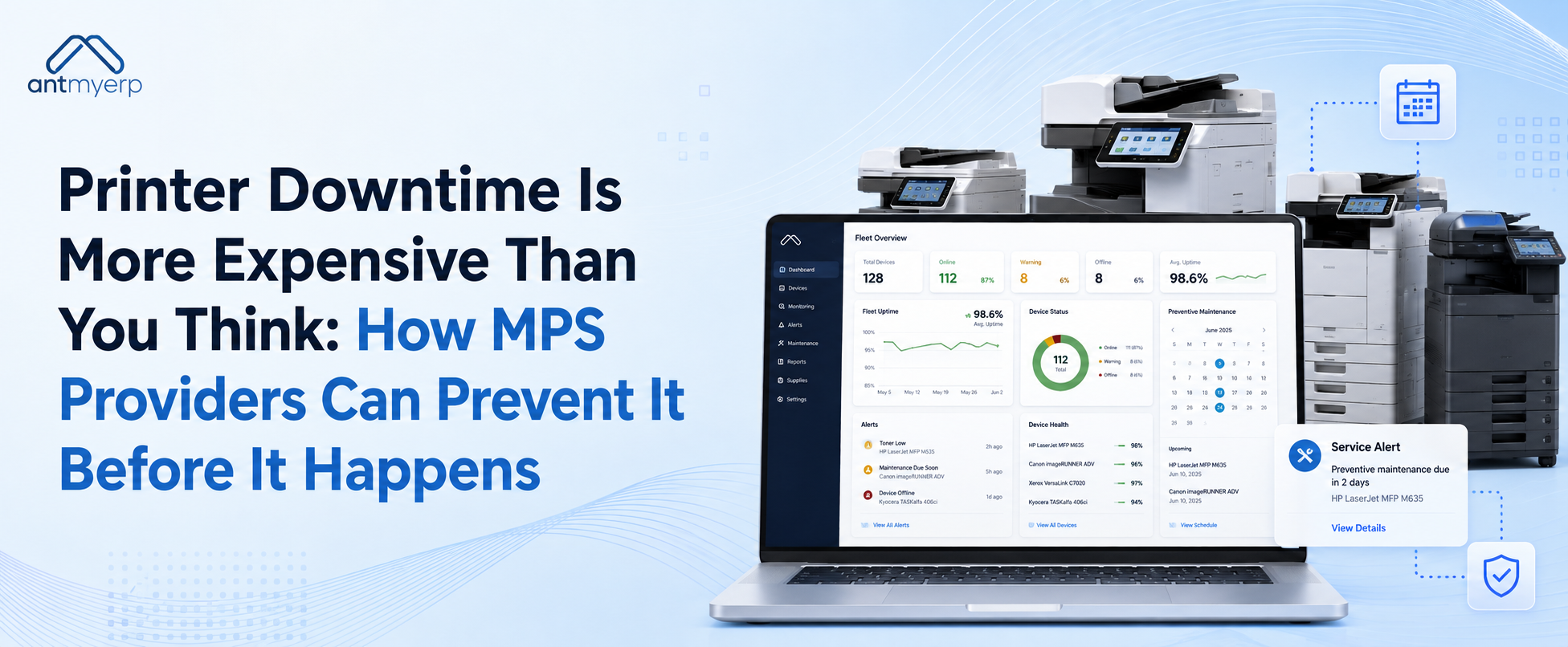
Printer Downtime Is More Expensive Than You Think: How MPS Providers Can Prevent It Before It Happens
2026-09-03
Printer downtime can cause lost productivity, work delays, and higher service costs. Fixing a printer after it breaks can also cost more than preventing the problem early. Printer Management Service Software helps MPS providers manage printers and service work from one place. Proactive monitoring, preventive maintenance, service scheduling, and technician management can help improve printer uptime and provide faster, more reliable service.
Printer downtime may seem like a small operational problem. A printer stops working, someone calls for support, and a technician fixes it. But the real cost of printer downtime is often much higher.
Employees cannot print important documents. Customer work may be delayed. IT teams receive additional service requests. Technicians must respond quickly. Businesses may also lose productive working hours while waiting for the printer to become available again.For Managed Print Services (MPS) providers, repeated printer problems can also affect customer satisfaction and increase service costs.
Printer Management Service Software can help MPS providers monitor printers, manage maintenance, track service requests, and fix small issues before they become bigger problems.
Why Is Printer Downtime So Expensive?
When a printer stops working, the cost is not limited to the repair itself.A printer breakdown can affect multiple parts of a business.
For example, employees may be unable to print invoices, contracts, reports, shipping documents, or customer paperwork. Someone may need to contact the service provider. A technician may need to travel to the location. The business may wait hours or even days for the issue to be resolved.
These small delays can quickly add up.
Lost Employee Productivity
Employees often depend on printers to complete daily tasks.
When a printer is unavailable, employees may need to wait, use another device, or postpone their work. In busy offices, warehouses, hospitals, schools, and other environments, this can affect several employees at the same time.
A single printer problem can therefore create a larger productivity issue.
Higher Emergency Service Costs
Reactive service can also be expensive.
When customers report an urgent printer failure, MPS providers may need to immediately assign a technician and arrange a service visit.
Emergency repairs can require:
- Immediate technician availability
- Unplanned travel
- Additional service resources
- Urgent spare parts
- Changes to the existing service schedule
Better planning can help reduce these unexpected costs.
Customer Dissatisfaction
Customers expect their managed print providers to keep their print infrastructure running smoothly.
Repeated printer problems can create frustration and reduce confidence in the service provider.
For MPS businesses, improving printer uptime is not only an operational goal. It is also important for building stronger customer relationships.
The Problem With Waiting for a Printer to Fail
Many businesses still follow a reactive approach to printer maintenance.
The process usually looks like this:
- Printer breaks down
- Customer reports the issue
- Service request is created
- Technician is assigned
- Technician visits the site
- Printer is repaired
This approach solves the problem only after printer downtime has already happened.A better approach is to identify warning signs earlier. This is why proactive printer management is becoming increasingly important for managed print providers.
How AntMyERP’s Printer Management Service Software Helps Prevent Downtime
Our MPS Software helps MPS providers manage their printer service operations more easily. Instead of using different spreadsheets and systems for printer details, customer requests, maintenance schedules, and technician work, everything can be managed in one place. This gives teams a clearer view of their printers and helps them identify and respond to potential issues faster.
Proactive Printer Monitoring Helps Identify Problems Early
Some printer problems do not happen suddenly.A device may show warning signs before a complete failure occurs. Performance issues, repeated errors, consumable problems, or recurring service requirements can indicate that the printer needs attention.
With proactive printer monitoring, managed print providers can identify potential issues earlier. This allows service teams to take action before the customer experiences a major disruption.
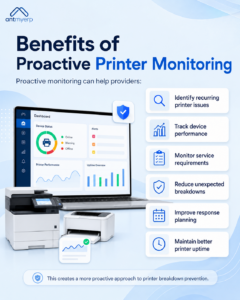
Benefits of Proactive Printer Monitoring
Proactive monitoring can help providers:
- Identify recurring printer issues
- Track device performance
- Monitor service requirements
- Reduce unexpected breakdowns
- Improve response planning
- Maintain better printer uptime
This creates a more proactive approach to printer breakdown prevention.
Preventive Maintenance Can Reduce Unexpected Printer Failures
Waiting until equipment fails is not always the best maintenance strategy.Preventive maintenance allows service teams to schedule inspections and maintenance activities before major problems occur.
With printer preventive maintenance software, MPS providers can organize maintenance schedules for different customer devices.Instead of relying on manual reminders, teams can maintain a structured maintenance process.
A Preventive Maintenance Process May Include
- Scheduled printer inspections
- Cleaning and servicing
- Checking frequently used components
- Reviewing service history
- Identifying recurring issues
- Planning upcoming maintenance activities
Preventive maintenance can help service teams reduce the risk of unexpected printer downtime.
Better Printer Service Requests Lead to Faster Resolution
Managing printer service requests manually can create delays.Requests may be received through phone calls, emails, or messages. Important information can be missed, and technicians may not immediately know which printer requires service.
Printer service management software can help create a more organized service request process.When a customer reports an issue, the service team can record the relevant information and assign the request to the appropriate technician.
This makes it easier to track the complete service process.
A Better Service Request Workflow Can Help Teams:
- Record customer issues clearly
- Track printer service requests
- Assign the right field service technicians
- Monitor service status
- Track resolution time
- Maintain service history
Better visibility can help MPS providers improve their overall print service management process.
Give Field Service Technicians the Information They Need
A technician arriving without the right information can increase repair time.
Before visiting a customer location, technicians may need to know:
- Which printer has the problem
- The printer’s service history
- Previous repair details
- Reported issues
- Customer location
- Required maintenance activities
A centralized printer management system can help make this information easier to access. Field service technicians can arrive better prepared for the service visit.This can reduce unnecessary delays and improve printer repair management.
Printer Asset Tracking Improves Visibility
MPS providers often manage printers across multiple customer locations. Without proper visibility, it can be difficult to know:
- Which printers require maintenance
- Which devices have repeated problems
- Which service requests are still open
- Where technicians are working
- What equipment belongs to each customer
Printer equipment tracking helps providers maintain better control over their managed devices. With asset management software, organized equipment records make it easier for service teams to make better decisions and prioritize the devices that require attention.
Manage Toner and Consumables More Efficiently
Not every printer issue is caused by a mechanical problem. Sometimes, a printer becomes unavailable simply because toner or other essential consumables are not available when needed. Poor consumables management can lead to unnecessary service requests and frustrated customers.
With better toner and consumables management, MPS providers can keep track of required supplies and plan replenishment in advance. This helps ensure printers have the necessary consumables and reduces avoidable interruptions in daily printing.
Service Scheduling Helps Prevent Delays
Poor scheduling can make printer downtime worse. A service request may remain pending because technicians are assigned inefficiently or maintenance activities are not properly planned. With better service scheduling, MPS providers can organize technician workloads and maintenance activities more effectively.
Service managers can plan:
- Routine maintenance visits
- Customer service appointments
- Technician assignments
- Pending repair work
- Priority service requests
Better scheduling can help reduce response times and improve operational efficiency.
Why Printer Uptime Matters for MPS Providers
For managed print providers, printer uptime is an important measure of service quality.Customers do not simply expect printers to be repaired after they fail. They want reliable printing operations.
Higher printer uptime can help providers:
- Improve customer satisfaction
- Reduce emergency service calls
- Lower service costs
- Improve technician productivity
- Reduce repeated printer problems
- Build stronger customer relationships
The goal should not only be faster printer repair. The bigger goal should be preventing unnecessary downtime in the first place.
For managed print providers, printer uptime is an important measure of service quality. Customers do not simply expect printers to be repaired after they fail. They want reliable printing operations. Managed Print Services can help organizations take a more structured approach to device monitoring, maintenance, fleet management, and print operations.
Reactive Printer Repair vs Proactive Printer Management
There is a major difference between reacting to printer problems and managing them proactively.
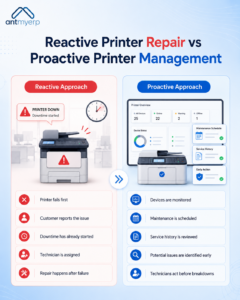
Reactive Approach
With a reactive approach:
- The printer fails
- The customer reports the problem
- Downtime has already started
- A technician is assigned
- Repair work begins
This approach focuses on fixing problems after they occur.
Proactive Approach
With a proactive approach:
- Devices are monitored
- Maintenance is scheduled
- Service history is reviewed
- Potential issues are identified
- Technicians can take action earlier
This approach focuses on reducing the possibility of unexpected failures.
For growing MPS businesses, proactive printer management can create a more efficient service model.
How Printer Management Service Software Supports MPS Growth
As an MPS business grows, managing more customers and printers becomes more complex. Service teams may need to handle hundreds or thousands of devices across multiple locations. Manual processes can become difficult to manage.
MPS adoption is growing as more businesses want better control over their print operations. Quocirca’s 2023 research found that approx. 25% of businesses planned to increase their investment in MPS. This shows that more businesses are using MPS to manage their printing needs more effectively.
Printer Management Service Software can help centralize important service operations. From printer maintenance and service requests to technician assignments and printer fleet tracking, teams can manage activities through a more organized system.
This helps businesses create scalable processes as their customer base grows.
Key Features MPS Providers Should Look For
When choosing a printer management software solution, MPS providers should look for features that support both printer operations and service management.
Important capabilities may include:
Printer and Customer Management
Maintain organized records of printers, customers, locations, and service history.
Preventive Maintenance
Schedule regular maintenance activities to reduce unexpected printer problems.
Service Request Management
Record, assign, and track printer service requests from start to completion.
Technician Management
Assign work to field service technicians and track service activities.
Printer Fleet Tracking
Maintain visibility across printers installed at different customer locations.
Service Scheduling
Plan maintenance visits and repair activities more efficiently.
Consumables Management
Track toner and other consumables to reduce avoidable printing interruptions.
Reporting and Service History
Review past repairs and maintenance activities to identify recurring problems.
Printer Downtime Prevention Starts With Better Visibility
Many printer failures become expensive because the problem is discovered too late. When MPS providers have better visibility into their devices, service requests, maintenance activities, and technician operations, they can make faster decisions.
The right Printer Management Service Software helps create this visibility. Instead of managing printer service through disconnected spreadsheets, emails, and manual follow-ups, providers can create a more connected service process.
This makes it easier to focus on preventing problems rather than constantly reacting to them.
Final Thoughts
Printer downtime can affect productivity, customer satisfaction, and service costs.For MPS providers, every unexpected printer breakdown can create additional pressure on service teams and field technicians.
The best way to manage printer downtime is not simply to improve printer repair speed. It is to reduce the chances of failures happening in the first place.With proactive printer monitoring, preventive maintenance, organized service scheduling, printer fleet tracking, and better service request management, providers can take a more proactive approach.
AntMyERP helps managed print service providers manage their printer operations, service requests, maintenance, and consumables from one platform. This gives businesses better visibility into their printing operations and helps them respond to issues more efficiently.