
Managing 100 Printers in One Office vs 100 Printers Across 20 Locations
2026-10-07
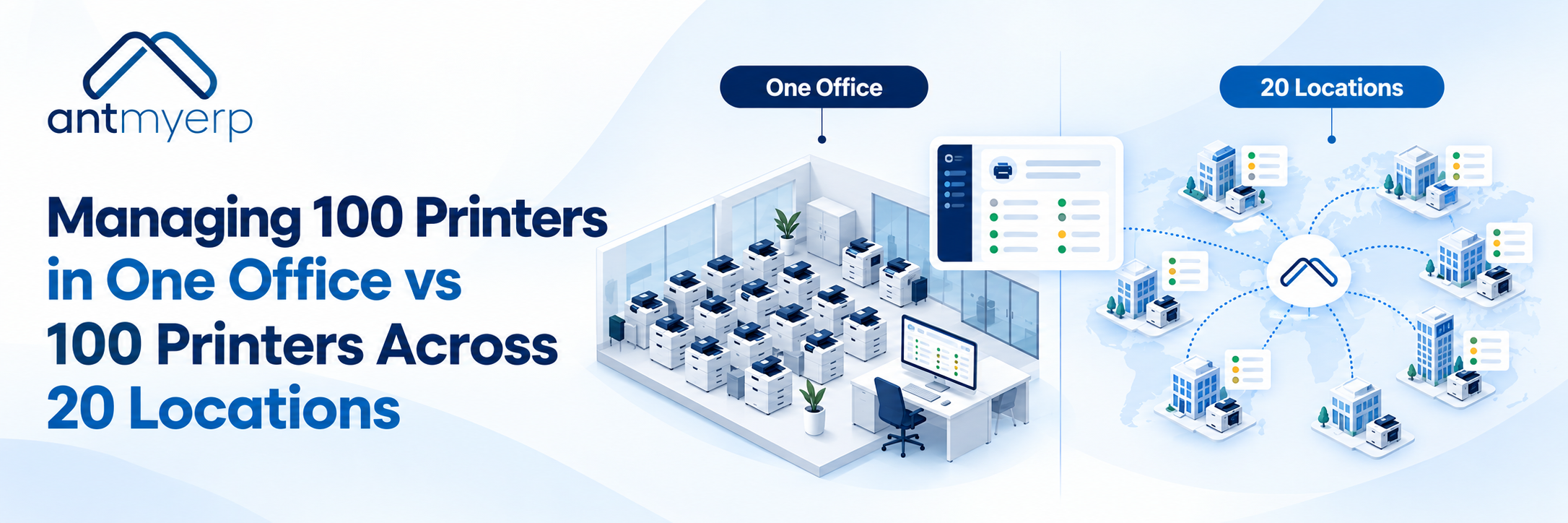
Managing 100 printers across 20 locations is more complex than managing them in one office. Printer service management software helps MPS businesses manage printers, technicians, meter readings, maintenance, and service requests from one system.
100 Printers in One Office vs 100 Printers Across 20 Locations
Imagine an MPS provider managing 100 printers. If all 100 are in one office, the service team has everything in one place. Technicians can handle multiple printers in a single visit, and consumables are easier to manage.Now spread those same 100 printers across 20 branch offices.
The number of printers is still the same, but managing them becomes more complicated. One branch may need toner, another may have a breakdown, while a third may be due for preventive maintenance or waiting for a meter reading.
This is where printer service management across multiple locations can become challenging.
One Office vs. Multiple Locations
Managing 100 printers across 20 locations creates different service challenges:
- Location: One office vs. 20 branches
- Technician Visits: Easier coordination vs. location-wise planning
- Service Requests: Centralized vs. spread across branches
- Meter Readings: Easy to collect vs. multiple locations to monitor
- Consumables: Central stock vs. location-wise requirements
- Maintenance: Central scheduling vs. branch-wise scheduling
- Service History: Easy to review vs. centralized visibility needed
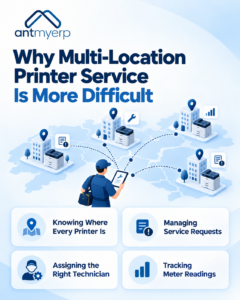
Why Multi-Location Printer Service Is More Difficult
1. Knowing Where Every Printer Is
When printers are distributed across multiple offices, the service team needs accurate information about each device.Which customer owns it? Which branch is it installed in? What is its serial number? When was it last serviced? Without centralized records, finding this information can take time.
2. Managing Service Requests
A service request from Branch A should not get mixed up with a request from Branch B.Teams need to know the printer, location, issue, assigned technician, service status, and resolution history.A centralized service system can keep these details connected.
3. Assigning the Right Technician
Technician assignment becomes more important when customers are spread across different locations.The team may need to consider location, availability, workload, skills, and service priority before assigning a job.
AntMyERP’s Field Service Management Software supports ticket assignment, scheduling, technician tracking, and location-based service operations.
4. Tracking Meter Readings
Meter readings are an important part of many MPS operations.When 100 printers are spread across 20 locations, collecting and organizing readings manually can become repetitive.
A centralized system can associate meter information with the relevant printer and customer, making it easier to use for service and billing workflows.
AntMyERP’s Managed Print Services Software includes MPS workflows for service, consumables, meter readings, and billing.
A Simple Story: From Spreadsheet to Centralized Service
Consider an MPS provider with 100 printers across 20 customer locations.
On Monday morning, three service requests arrive. One is from Location 4. Another is from Location 11. The third is from Location 18. The service coordinator checks a spreadsheet to identify the printers and then contacts technicians individually. Later, the technicians send updates through email or WhatsApp.The coordinator then updates the spreadsheet.
This process may work with a small number of requests.But as service volume grows, information can become difficult to track.
Now consider the same workflow with printer service management software.The service request is linked to the customer, printer, and location. The appropriate technician can be assigned. The technician updates the service activity. The service history remains connected to the printer.
Instead of asking, “What happened with this printer last time?”, the team can check its service record.That is the difference between storing information and managing the service process.
How Printer Service Management Software Helps
Centralized Printer Records
Each printer can have a connected record containing information such as:
- Customer and location
- Printer model
- Serial number
- Service history
- Meter readings
- Contract or AMC information
- Warranty details
- Service status
This gives the service team a single reference point.
Service Request Tracking
With printer service management software, service requests can be created, assigned, updated, and closed within the same workflow.Managers can see which requests are pending, assigned, in progress, or completed.
Technician Assignment
Instead of coordinating every assignment manually, service teams can assign jobs based on technician availability, location, and workload.
AntMyERP supports ticket assignment and scheduling, including assigning multiple tickets at the same location to reduce unnecessary travel.
Preventive Maintenance
Printer service management software can help teams schedule and track preventive maintenance. Printer service should not only begin after a breakdown.Scheduled maintenance can help teams plan service activities before recurring problems become bigger issues.
AntMyERP’s Preventive Maintenance Software supports time-based and usage-based maintenance, with automatic maintenance ticket generation based on configured rules.
Service History
A printer’s previous service activities can provide useful context for future complaints.If the same printer repeatedly requires service, the team can review its history and identify recurring issues.
Consumables and Spare Parts
Multi-location operations also need better visibility into toner, spare parts, and other service requirements.Keeping these activities connected with service records can make it easier to understand what was issued, for which printer, and where.
What Does This Mean for MPS Businesses?
The MPS market is not limited to supplying printers and toner.Service providers also need to manage contracts, meter readings, service requests, consumables, technicians, maintenance, and billing.
Quocirca’s 2025 MPS research found that 71% of organisations surveyed expected their investment in MPS to increase in the coming year. The research covered 400 organisations across the UK, France, Germany, and the US.
As MPS operations grow, managing distributed printer environments manually can become increasingly difficult.The focus therefore shifts from simply knowing how many printers a business manages to understanding:
Where are they? What service do they need? Who is handling it? What is their history? And what happens next?
Why AntMyERP?
AntMyERP is built for service businesses where customers, devices, technicians, service tickets, contracts, inventory, and billing all need to stay connected.
For MPS businesses, it brings everyday service tasks into one place, including service calls, consumables, meter readings, counter tracking, and billing. Its Field Service Management Software also helps teams manage service tickets, technician assignments, spare parts, SLAs, and field activities.
This makes it easier to keep track of printer service operations when customers and devices are spread across multiple locations.
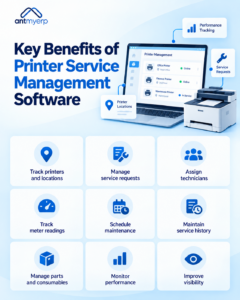
Key Benefits
Using centralized printer service management can help MPS businesses:
- Track printers by customer and location
- Manage service requests in one system
- Assign and monitor technicians
- Track meter readings
- Schedule preventive maintenance
- Maintain printer service history
- Manage spare parts and consumables
- Monitor service performance
- Improve visibility across multiple locations
The objective is simple: less manual coordination and better visibility of every printer service activity.
Conclusion
Managing 100 printers across 20 locations requires more coordination than managing them in one office. Printer service management software helps MPS businesses connect service requests, technicians, meter readings, maintenance, consumables, and service history in one system.
AntMyERP helps MPS businesses manage printer services, technicians, maintenance, meter readings, contracts, and inventory from one system.