
How AV Rental Software Optimises Inventory Management
2026-08-29
AV rental software makes it easier for audiovisual rental companies to manage equipment from booking to return. It helps teams see what is available, track equipment as it moves between locations, avoid double-bookings, and stay on top of maintenance. This means less manual work and better control over rental equipment.
Managing AV equipment for multiple events can become difficult when inventory records are spread across spreadsheets, emails, and manual registers. Equipment may be booked for different events, moved between locations, sent for maintenance, or returned late.
AV rental software gives rental businesses a central system to manage equipment availability, bookings, movement, maintenance, and returns. With better inventory visibility and automated workflows, businesses can reduce booking conflicts, improve equipment utilisation, and keep better control over rental assets.
What Is AV Rental Software?
AV rental software is a business management solution designed for companies that rent audiovisual equipment for events and projects. It helps rental teams manage equipment, bookings, inventory, asset movement, maintenance, returns, and related rental activities from one system.
An AV rental business may manage hundreds or thousands of assets, including:
- Projectors and projection screens
- LED walls and video displays
- Cameras and video equipment
- Microphones and audio systems
- Speakers and amplifiers
- Stage lighting equipment
- Mixers and other production equipment
- Cables, accessories, and supporting equipment
The challenge is not only knowing what equipment a business owns. Rental teams also need to know where each item is, whether it is available, which customer has booked it, and whether it is ready for the next event.
An AV equipment rental software solution can bring this information into one system and make equipment tracking easier across the rental cycle.
Why Is Inventory Management Important for AV Rental Businesses?
Inventory is one of the most valuable assets of an AV rental company. Poor inventory management can affect bookings, deliveries, equipment utilisation, and customer satisfaction.
For example, if a projector is already booked for another event but the inventory record has not been updated, the same equipment could be promised to another customer.
Common AV rental inventory challenges include:
- Limited visibility into equipment availability
- Double-booking of rental equipment
- Difficulty tracking equipment movement
- Missing or outdated inventory records
- Delays in equipment returns
- Difficulty identifying damaged equipment
- Unplanned maintenance
- Manual stock checking
- Poor equipment utilisation
These challenges become harder to manage as the number of customers, assets, and events increases. AV equipment inventory management becomes especially important when businesses need to coordinate equipment across multiple events or locations.
How Does AV Rental Software Optimise Inventory Management?
1. Provides Real-Time Equipment Availability
AV rental software gives teams a clearer view of equipment availability.
Before confirming a booking, staff can check whether the required equipment is:
- Available
- Already booked
- Out on rent
- Under maintenance
- Reserved for another event
- Available at another location
This reduces the need to check multiple spreadsheets or contact different team members before confirming a rental.
For AV rental companies, real-time availability also makes AV inventory management easier because teams can see the current status of equipment before assigning it to a new rental.
2. Prevents Double-Bookings
Double-booking can create serious problems for AV rental companies.
When the same equipment is assigned to two events at the same time, teams may have to arrange last-minute replacements or rentals from another supplier.
A centralized rental inventory system connects equipment with bookings and rental schedules. This helps teams identify conflicts before confirming an order.
This is one of the key advantages of using AV rental management software instead of maintaining separate booking and inventory records.
3. Tracks Equipment from Dispatch to Return
AV equipment can move through several stages during a rental cycle.
For example, the equipment may move through these stages:
- Available
- Reserved
- Picked
- Dispatched
- On Rent
- Returned
- Inspection
- Available
AV rental software can help businesses track these stages and maintain a record of equipment movement.
This makes it easier to know where an asset is and what needs to happen before it can be rented again. It also supports better AV equipment tracking across dispatch, rental, return, and inspection activities.
4. Makes Equipment Tracking Easier with Barcodes
Barcode-based tracking can simplify the movement of rental equipment.
Businesses can assign barcode labels to individual assets and scan them during processes such as:
- Dispatch
- Delivery
- Equipment issue
- Return
- Stock verification
- Maintenance
This reduces manual data entry and creates a more accurate record of equipment movement.
For businesses managing a large AV inventory, AV equipment tracking software can make it easier to identify individual assets and update their status during different rental activities.
5. Connects Inventory with Maintenance
Rental equipment needs regular inspection and maintenance to remain reliable.
A projector, speaker, camera, or lighting system may need servicing after a certain period or number of uses.
AV rental software can connect asset records with maintenance activities. Teams can track service history, schedule preventive maintenance, and set reminders for upcoming tasks.
This helps businesses identify equipment that should not be assigned to a new rental until maintenance is completed.
Connecting maintenance with AV asset management software also gives teams a clearer record of an asset’s condition and service history.
6. Helps Improve Equipment Utilisation
Buying additional equipment is not always the answer when demand increases.
First, rental businesses need to understand how existing assets are being used.
Inventory and rental data can help teams identify:
- Frequently rented equipment
- Equipment with low utilisation
- Assets under maintenance
- Equipment frequently assigned to events
- Assets that may need replacement
These insights can support better purchasing and inventory planning decisions.
By combining rental information with AV asset management software, businesses can make better decisions about which equipment to purchase, retain, replace, or rent from another supplier.
7. Simplifies Equipment Returns and Inspection
The rental process does not end when equipment comes back.
Returned equipment may need to be checked for:
- Damage
- Missing accessories
- Physical condition
- Technical issues
- Cleaning requirements
- Maintenance needs
A centralized system helps teams record the return and inspection status before making equipment available for the next booking.
This creates a more structured return process and reduces the chance of sending damaged or incomplete equipment to another customer.
8. Reduces Manual Inventory Work
Manual inventory management takes time and can introduce errors.
Teams may otherwise need to update spreadsheets, check emails, maintain paper records, and coordinate equipment information across departments.
AV rental software automates many routine activities and connects inventory with bookings, customers, billing, maintenance, and asset records.
This allows employees to spend less time updating records and more time managing events and customers.
What Are the Benefits of AV Rental Software for Inventory Management?
A well-connected AV rental management software system can provide several operational benefits.
Better Inventory Visibility
Teams can access equipment information from a centralized system instead of relying on disconnected records.
Fewer Booking Conflicts
Equipment availability can be checked before confirming a rental, helping reduce double-booking problems.
Better Equipment Tracking
Businesses can track equipment movement, rental status, location, and service history through a structured process.
Faster Event Preparation
Teams can identify and prepare required equipment before dispatch instead of manually checking every item.
Improved Maintenance Planning
Maintenance reminders and service records help teams keep equipment ready for future rentals.
Better Customer Service
Accurate availability information helps rental teams provide customers with faster and more reliable responses.
More Informed Purchasing Decisions
Rental and inventory data can help businesses understand which assets are in demand and which are underutilised.
How Can AntMyERP Help with AV Rental Inventory Management?
AntMyERP provides an integrated platform for managing rental, inventory, asset, service, and financial processes.
For AV rental businesses, the system can help connect equipment records with rental activities and operational workflows.
Key capabilities include:
- Equipment and asset tracking: Maintain records of AV equipment and track asset status.
- Inventory management: Monitor available, reserved, rented, and other inventory statuses.
- Barcode tracking: Scan equipment during inventory and movement-related activities.
- Rental management: Manage equipment rental processes and schedules.
- Maintenance management: Schedule maintenance and maintain service records for rental assets.
- Automated reminders: Receive reminders for maintenance and other important activities.
- Billing and invoicing: Connect rental activities with financial processes.
- Centralised information: Keep customer, equipment, rental, and service information connected.
By bringing these processes together, AntMyERP can help AV rental companies move away from disconnected manual records and manage their rental operations through a more structured workflow.
You can also explore Top 5 Features of Audio Visual Rental Software to learn more about the capabilities AV rental businesses may need.
Best Practices for Managing AV Rental Inventory
Software can improve inventory management, but businesses should also establish clear processes.
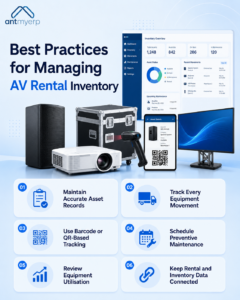
Maintain Accurate Asset Records
Keep equipment details, serial numbers, purchase information, current status, and service history updated.
Track Every Equipment Movement
Record when equipment is dispatched, returned, transferred, or sent for maintenance.
Use Barcode or QR-Based Tracking
Scanning can make equipment issue, return, and stock verification faster and more consistent.
Schedule Preventive Maintenance
Do not wait for equipment failure. Plan inspections and maintenance based on usage and service requirements.
Review Equipment Utilisation
Regularly analyse rental activity to identify highly demanded and underutilised equipment.
Keep Rental and Inventory Data Connected
Bookings, equipment availability, dispatch, returns, maintenance, and billing should work together rather than being managed through separate systems.
Conclusion
Effective inventory management is essential for AV rental companies because every piece of equipment represents an investment and a potential source of rental revenue.
Managing equipment through spreadsheets and disconnected records can make it harder to know what is available, where an asset is, whether it is ready for the next event, or when it needs maintenance.
AV rental software brings inventory, rental bookings, asset tracking, maintenance, and other business processes together. With better visibility and automation, AV rental businesses can improve equipment utilisation, reduce operational errors, and deliver a more reliable rental experience.
For AV rental companies looking to streamline inventory and rental operations, AntMyERP provides a connected platform to manage equipment, inventory, rentals, maintenance, and financial workflows.