
CMMS Maintenance Software: Oil and Gas Sector
2026-09-25
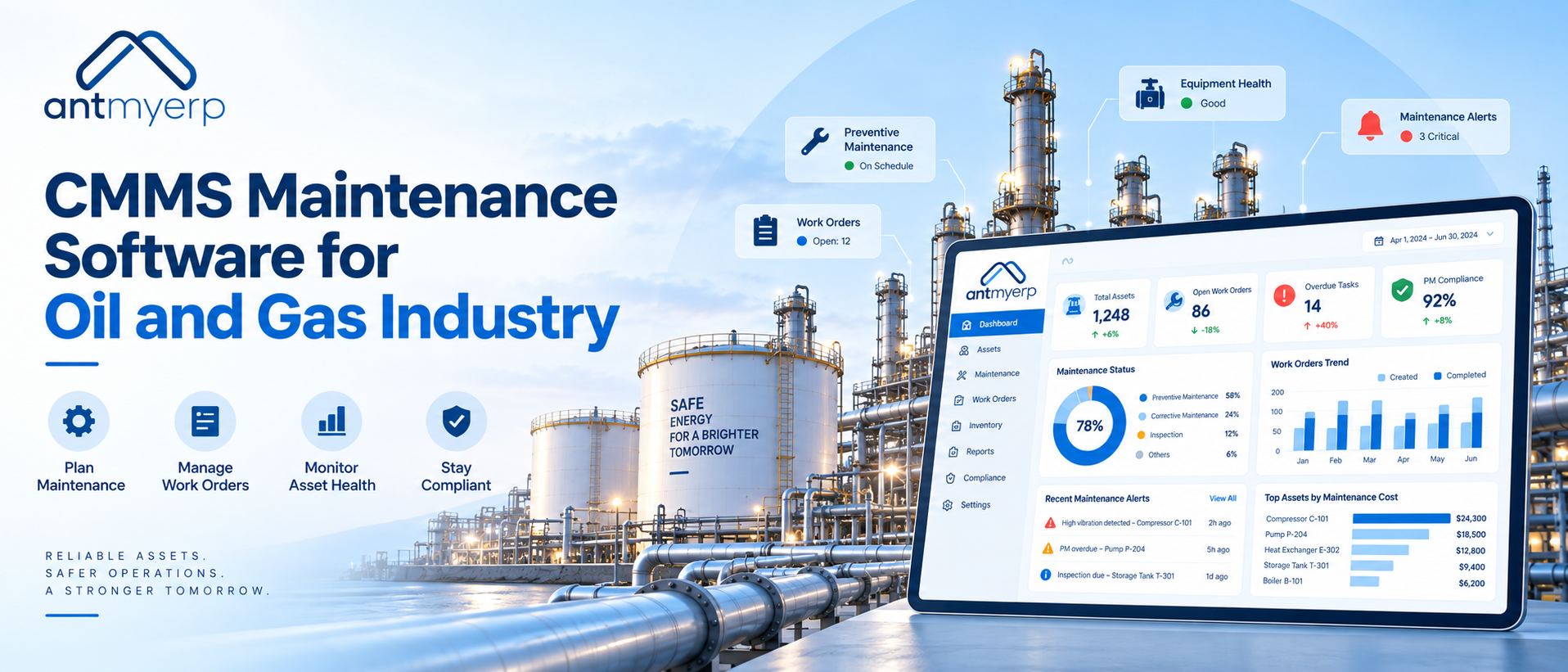
CMMS maintenance software helps oil and gas businesses centralize asset data, preventive maintenance, work orders, service history, spare parts, and reports, enabling a more organized approach to maintenance.
Imagine a critical pump, compressor, drilling equipment, or processing unit stops working during an ongoing operation. The maintenance team needs the equipment history. The technician needs the right work order. IT needs reliable data. Finance needs visibility into repair and maintenance costs.
When this information is scattered across spreadsheets, emails, and manual records, responding quickly becomes difficult.
CMMS maintenance software gives oil and gas businesses a centralized way to manage assets, preventive maintenance, work orders, service history, spare parts, and maintenance reports.
For oil and gas operations, where equipment reliability and maintenance planning are important, a structured maintenance system can help teams move from reactive repairs toward planned maintenance.
Why Maintenance Is Challenging in the Oil and Gas Industry
Oil and gas operations depend on expensive equipment and continuous processes. Maintenance teams often work across plants, field locations, warehouses, and remote sites.
Some common challenges include:
Equipment Operates Under Demanding Conditions
Pumps, compressors, generators, drilling equipment, storage systems, and other machinery can experience heavy usage and demanding operating conditions. Regular inspections and preventive maintenance help teams identify maintenance requirements before they become larger problems. OSHA’s Oil and Gas Well Drilling and Servicing: Maintenance Activities resource highlights maintenance requirements for drilling equipment and related systems.
Equipment Downtime Can Affect Operations
When critical equipment becomes unavailable, maintenance teams need to understand what happened, which parts are required, and what work has already been performed.
Without centralized records, technicians may spend additional time searching for equipment history and previous maintenance information.
Maintenance Data Can Become Difficult to Manage
Oil and gas businesses can have thousands of maintenance records covering equipment, inspections, repairs, spare parts, technicians, and service schedules.
A centralized system makes this information easier to access and manage.
Remote Locations Need Better Visibility
Field and remote operations can make it difficult for office teams to monitor maintenance activities in real time.
Mobile access can help technicians update work orders, service information, and maintenance reports from the field.
What Does CMMS Maintenance Software Do?
A CMMS maintenance software system helps organize maintenance activities around assets and equipment.
A typical maintenance workflow can look like this:
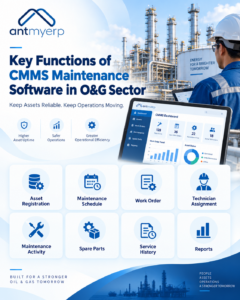
- Asset Registration
- Maintenance Schedule
- Work Order
- Technician Assignment
- Maintenance Activity
- Spare Parts
- Service History
- Reports
Instead of maintaining separate records for each activity, teams can manage maintenance information through a centralized system.
For example, preventive maintenance software can automatically create maintenance tasks based on schedules or equipment usage. AntMyERP supports both time-based and usage-based preventive maintenance workflows.
6 Areas Where CMMS Software Can Improve Maintenance Management
1. Keep Equipment and Asset Information Organized
Maintenance teams need access to accurate information about equipment. An asset management system can maintain details such as:
- Asset identification
- Equipment category
- Location
- Service history
- Warranty information
- Maintenance records
- Asset lifecycle information
This gives maintenance and management teams a clearer view of equipment status.
2. Schedule Preventive Maintenance
Waiting until equipment fails can result in emergency repair work and unexpected downtime. With preventive maintenance scheduling, teams can plan maintenance activities based on:
- Fixed schedules
- Equipment usage
- Service intervals
- Contract requirements
- Equipment-specific maintenance plans
CMMS software can help maintenance teams keep upcoming tasks visible and track their completion.For practical guidance on setting up preventive maintenance activities, see the Preventive Maintenance Help Guide
3. Manage Work Orders
A maintenance request becomes easier to track when it is converted into a structured work order. A work order can contain:
- Equipment information
- Maintenance requirement
- Priority
- Assigned technician
- Required parts
- Work status
- Service notes
- Completion details
This gives IT and maintenance managers better visibility into the maintenance process.
4. Maintain Complete Equipment History
A machine’s previous maintenance activities can provide useful context when a new problem occurs. A centralized maintenance history can show:
- Previous repairs
- Preventive maintenance completed
- Parts replaced
- Technician activity
- Service dates
- Recurring issues
This information can help maintenance teams understand equipment performance over time.
5. Track Spare Parts and Maintenance Costs
Equipment maintenance often depends on having the right spare parts available when needed. Maintenance management software can connect maintenance activities with spare parts information so teams can monitor parts consumption and maintenance requirements.
For Finance teams, maintenance records can also provide useful information when reviewing repair expenses, recurring costs, and equipment-related spending.
6. Generate Maintenance Reports
Maintenance data becomes more useful when management can turn it into reports. Common maintenance metrics can include:
- Preventive maintenance completion
- Open and completed work orders
- Equipment downtime
- Technician performance
- Spare parts consumption
- Service costs
- Maintenance history
These reports can support maintenance planning and financial review.
Where Can CMMS Software for Oil and Gas Be Used?
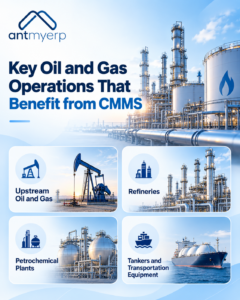
Upstream Oil and Gas
Upstream operations involve exploration and production activities where equipment availability is important. Maintenance software for upstream oil and gas can help teams manage equipment records, scheduled maintenance, work orders, and service history.For broader field operations, oil and gas field service software can also help organize service activities across locations.
Refineries
Refineries depend on complex equipment and planned maintenance activities. Maintenance management software for oil and gas industry operations can help centralize equipment information and maintenance records across different assets.
Petrochemical Plants
Petrochemical facilities manage equipment that requires regular inspection and maintenance. Petrochemical plant maintenance software can help teams organize preventive maintenance schedules, work orders, equipment history, and reporting.
Tankers and Transportation Equipment
Maintenance teams managing tankers and other transportation-related equipment need visibility into service schedules, inspections, repairs, and maintenance history. A tanker CMMS can help organize these maintenance activities in one system.
What IT Managers and CTOs Should Look For
Choosing CMMS software is not only a maintenance decision. IT teams also need to consider how the system fits into the organization’s technology environment.
Look for:
Centralized Data
Equipment, maintenance, work orders, and service information should be accessible from one system.
Mobile Access
Field technicians may need to access and update maintenance information while working away from the office.
Integration
Consider whether the maintenance system can work with existing ERP, CRM, inventory, or other business applications.
Reporting and Analytics
Management should be able to access useful maintenance information without depending entirely on manual spreadsheets.
Scalability
The system should support additional equipment, locations, users, and maintenance requirements as operations expand.
What Finance Teams Should Consider
For Finance executives, maintenance software is also about visibility into operational spending.
A centralized maintenance system can help connect maintenance activities with:
- Spare parts usage
- Repair costs
- Service expenses
- Equipment history
- Maintenance frequency
- Asset lifecycle information
This information can support discussions around repair versus replacement and maintenance budgeting.
How to Evaluate CMMS Maintenance Software
Before selecting a system, review the following areas:
1. Map Your Current Maintenance Process
Document how maintenance requests, approvals, work orders, technician assignments, spare parts, and reporting are currently handled.
2. Identify Critical Assets
List the equipment where maintenance delays can have a significant operational impact.
3. Check Core CMMS Features
Evaluate asset management, preventive maintenance, work orders, spare parts management, service history, mobile access, and reporting.
4. Review Integration Requirements
Check whether the software needs to connect with ERP, CRM, inventory, accounting, or other systems.
5. Consider Total Maintenance Costs
Look beyond the software subscription. Consider emergency repairs, spare parts, downtime, manual work, and equipment replacement costs when reviewing the overall maintenance process.
6. Test the Workflow
Before implementation, test how easily your team can create a maintenance schedule, generate a work order, assign a technician, record service activity, and access reports.
From Reactive Repairs to Planned Maintenance
A manual maintenance process often looks like:
- Equipment Problem
- Phone Call
- Manual Search
- Technician Assignment
- Repair
- Spreadsheet Update
A structured CMMS workflow can look like:
- Asset
- Maintenance Schedule
- Work Order
- Technician
- Service Activity
- Parts
- Completion
- Report
The objective is not simply to digitize maintenance records. It is to give maintenance, IT, operations, and finance teams better visibility into the complete maintenance process. This shift from manual maintenance to a structured digital process is also discussed in CMMS vs. Traditional Maintenance, which compares traditional maintenance practices with a CMMS-based approach.
Why CMMS Maintenance Software Matters for Oil and Gas
Oil and gas businesses manage expensive equipment, complex maintenance requirements, and operations across multiple locations. CMMS maintenance software can help bring asset information, preventive maintenance, work orders, spare parts, service history, and reports into one structured system.
For IT Managers and CTOs, this can mean better maintenance data and process visibility. For Finance teams, it can provide more organized information for maintenance cost analysis and planning.
The right system should match the organization’s assets, maintenance workflow, integration requirements, and future operational needs.
Conclusion
Maintenance is a continuous requirement in oil and gas operations. Managing it through scattered spreadsheets and manual records can make it harder to maintain visibility across equipment and maintenance activities.
With CMMS maintenance software, businesses can organize preventive maintenance, work orders, asset information, service history, spare parts, and reports through a centralized system.
The result is a more structured approach to maintenance planning and management.