
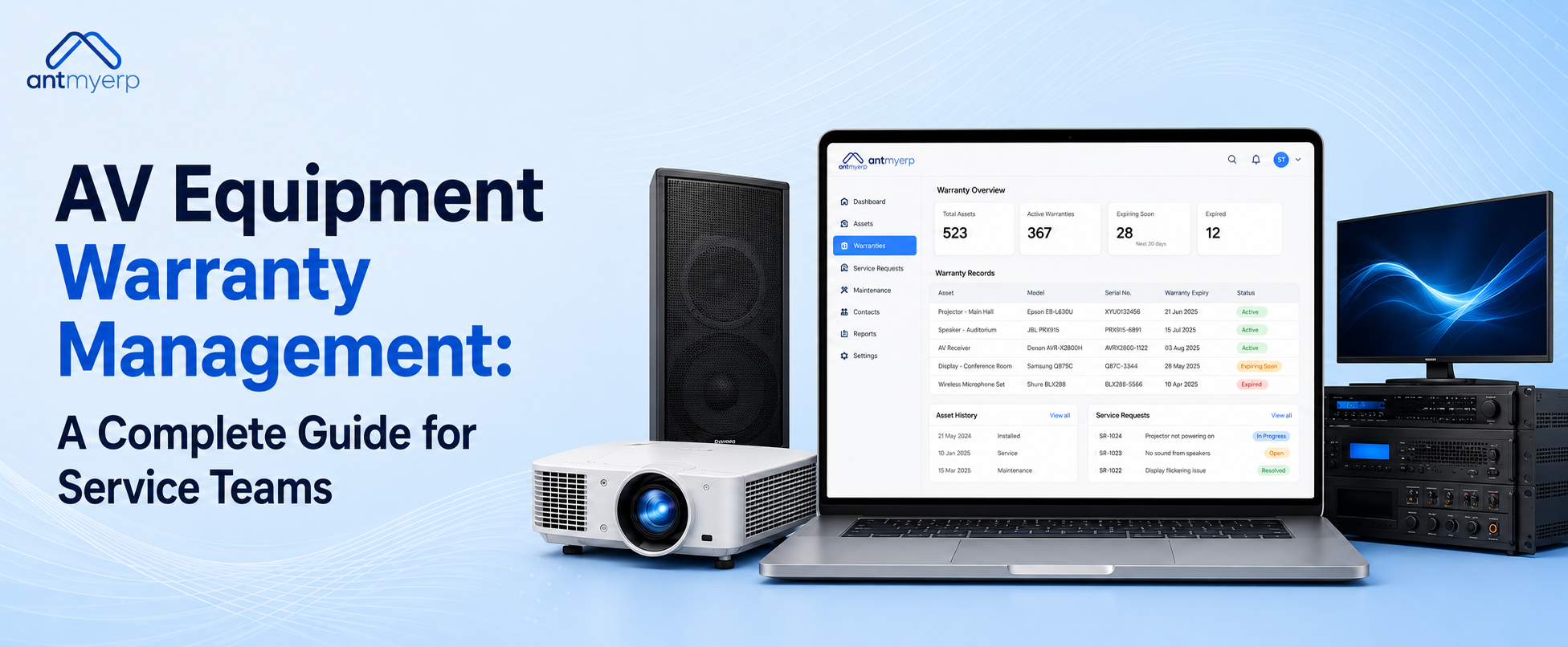
AV Equipment Warranty Management: A Complete Guide for Service Teams
2026-08-30
AV equipment warranty management helps AV companies track equipment warranties, monitor expiry dates, manage warranty claims, access service history, and connect warranty information with assets, repairs, spare parts, and service contracts. It gives service teams better visibility into equipment coverage and helps them avoid missed warranty claims and unnecessary repair costs.
Managing warranties for projectors, displays, microphones, cameras, speakers, and conferencing systems can become difficult as an AV business grows. Warranty information may be stored across invoices, spreadsheets, emails, and service records.
AV equipment warranty management brings these records together in one place. Teams can track warranty periods, receive expiry alerts, manage claims, and check warranty status before starting repair work. This makes warranty-related service activities easier to manage and gives teams faster access to important equipment information.
What Is AV Equipment Warranty Management?
AV equipment warranty management is the process of tracking and managing warranty information for audio-visual equipment throughout its service lifecycle.
AV companies may install, rent, repair, and maintain equipment across offices, educational institutions, hotels, healthcare facilities, event venues, and other locations.
This can include:
- Projectors
- LED displays
- Video conferencing systems
- Speakers
- Microphones
- Cameras
- Digital signage
- Amplifiers
- Audio processors
- Control systems
Each asset may have a different purchase date, warranty period, vendor, serial number, installation date, and service history.
When this information is managed manually, it can become difficult to know whether a specific piece of equipment is still covered. Warranty management software provides a centralized way to track this information and access it when service is required.
Why Is Warranty Tracking Important for AV Companies?
AV companies can face several challenges when warranty information is managed manually:
- Lost warranty documents
- Missed warranty expiry dates
- Delayed warranty claims
- Unnecessary paid repairs
- Difficulty finding equipment records
- Manual vendor follow-ups
- Separate service and warranty records
- Limited visibility into equipment history
A centralized warranty management system helps bring this information together.
Teams can view details such as:
- Equipment information
- Warranty start and end dates
- Purchase information
- Installation date
- Vendor details
- Service history
- Previous repairs
- Parts replaced
- Warranty claim status
This allows service managers and technicians to make faster decisions before starting repair work.
How Does AV Equipment Warranty Management Work?
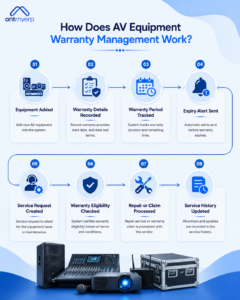
A typical warranty management process can follow these steps:
- Equipment Added
- Warranty Details Recorded
- Warranty Period Tracked
- Expiry Alert Sent
- Service Request Created
- Warranty Eligibility Checked
- Repair or Claim Processed
- Service History Updated
For example, when a projector develops a fault, the service team can check its warranty status before assigning a repair. If the equipment is still covered, the team can initiate the appropriate warranty process instead of treating the repair as a paid service.
After the repair or claim is completed, the service record can be updated so future technicians can access the latest equipment history.
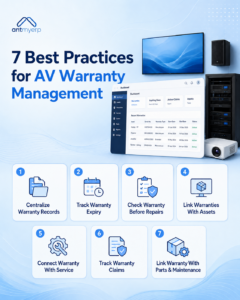
7 Best Practices for AV Equipment Warranty Management
1. Keep All Warranty Records in One Place
AV service teams often need warranty information before starting a repair. Searching through emails, invoices, spreadsheets, and paper documents can slow down the process.
A centralized system can store:
- Customer information
- Equipment details
- Serial numbers
- Warranty certificates
- Purchase records
- Installation information
- Service history
- Repair records
- Replacement history
This makes it easier to check equipment coverage when a customer reports an issue.
2. Track Warranty Expiry Dates
Manually checking warranty dates across multiple spreadsheets can cause important deadlines to be missed.
Warranty management software can track warranty periods and notify teams before coverage expires.
These alerts can help teams:
- Identify equipment approaching warranty expiry
- Submit eligible claims on time
- Plan repairs within the warranty period
- Reduce unnecessary repair expenses
- Follow up with vendors efficiently
This becomes especially useful when an AV company manages hundreds or thousands of assets across different customer locations.
3. Check Warranty Status Before Repairs
An AV company may unknowingly pay for a repair even when the equipment is still covered by a manufacturer or vendor warranty.
Before starting repair work, service teams can check the asset’s warranty status.
For example, if a conferencing camera stops working, the technician or service manager can check its coverage before ordering replacement parts or charging the customer.
This can help businesses identify eligible warranty repairs and avoid unnecessary expenses.
4. Connect Warranty Information With Asset Records
Each AV asset may have a unique serial number, purchase date, vendor, warranty period, and service history.
Connecting warranty information with asset records gives service teams a complete view of individual equipment.
For example, a technician working on a projector can review:
- Warranty status
- Purchase information
- Previous repairs
- Parts used
- Service history
- Vendor details
This helps technicians understand the equipment history before performing service.For AV rental businesses, connecting warranty information with asset and inventory records is especially important. AV Rental Software Optimises Inventory Management can help businesses improve equipment visibility and manage inventory more efficiently.
5. Link Warranty Management With Service Operations
Warranty information becomes more useful when it is connected with other service activities.
AV businesses can connect warranty information with:
- Service requests
- Work orders
- Technician assignments
- Preventive maintenance
- Spare parts
- Asset records
- Service contracts
- AMC activities
For example, when a customer reports a faulty projector, the service team can check the asset record, warranty status, previous repairs, and parts history before assigning the work order.
Businesses can also combine warranty tracking with audio visual management software to manage broader AV service and operational activities.
6. Maintain Warranty Claim History
Warranty claims may involve documents, vendor communication, repair details, and claim status.
A warranty management system can help teams record claims and track their progress from submission to resolution.
Maintaining this history can also help service teams understand previous warranty-related issues when the same equipment requires service again.
7. Connect Warranty With Spare Parts and Maintenance
Warranty-related repairs often involve replacement parts and technician work.
Connecting warranty information with spare parts and maintenance records gives businesses better visibility into repair activities.
For businesses with significant parts requirements, spare parts management software can help improve parts visibility and control.
Businesses can also connect warranty tracking with preventive maintenance software to manage ongoing equipment maintenance.
Example: Managing a Projector Warranty
Consider an AV company that has installed 50 projectors across different customer locations.
Each projector may have:
- A different purchase date
- A different warranty period
- A unique serial number
- Different service history
- Different vendor information
- Different replacement parts
If one projector develops a fault, the service team needs to know whether it is still covered before starting a repair.
With warranty management software, the team can access the equipment record, check warranty coverage, review previous service activity, and create the appropriate service request.
This saves time and helps prevent unnecessary out-of-warranty repair costs.
Equipment Warranty vs Maintenance Contract
An equipment warranty generally covers eligible defects or equipment failures for a defined period according to the manufacturer’s or vendor’s warranty terms.
A maintenance contract focuses on ongoing service and maintenance. It may include preventive maintenance, inspections, repairs, or technical support according to the agreed service terms.
An AMC can provide continued maintenance and service coverage for equipment based on a defined agreement and duration. Businesses can manage these activities using AMC management software.
The key difference is that a warranty is generally linked to the original equipment coverage, while a maintenance contract or AMC provides ongoing service according to separately defined terms.
For broader guidance on AV industry practices and standards, businesses can also refer to AVIXA standards.
Manual Warranty Tracking vs Warranty Management Software
Manual warranty management often relies on spreadsheets, emails, and separate records. This can make expiry checks, claim tracking, service-history lookup, and vendor follow-ups time-consuming.
Warranty management software centralizes warranty records, automates expiry alerts, tracks claims, links warranties with assets, and provides easier access to equipment-level service history.
This gives AV service teams better visibility and reduces dependence on scattered records.
Features to Look for in AV Warranty Management Software
When evaluating warranty management software, AV companies should look for features that support both warranty administration and service operations.
Centralized Warranty Repository
Store warranty details, documents, purchase information, and coverage periods in one location.
Automatic Warranty Expiry Alerts
Receive notifications before equipment warranties expire so eligible claims are not missed.
Warranty Claim Tracking
Track claim status, supporting information, vendor communication, and claim resolution.
Asset-Warranty Mapping
Connect each projector, display, camera, speaker, or conferencing system with its warranty information.
Service History Management
View previous repairs, technician visits, parts used, and service activity for each asset.
Spare Parts Tracking
Connect warranty-related repairs with parts usage and inventory records.
Technician Work Orders
Create and assign service work orders while giving technicians access to relevant equipment and warranty information.
Preventive Maintenance
Connect warranty information with preventive maintenance activities to improve equipment upkeep.
Reports and Analytics
Track warranty expiries, claims, repairs, service activity, and equipment performance through reports and dashboards.
Why Choose AntMyERP for AV Warranty Management?
AntMyERP’s Audio Visual Warranty Management Software brings warranty tracking and service operations together in one place. AV businesses can manage equipment coverage while keeping warranty, asset, repair, parts, and maintenance information connected.
With AntMyERP, teams can:
- Track warranties from installation to expiry
- Get reminders before warranties expire
- Record and manage warranty claims
- View complete equipment service history
- Connect warranties with service work orders
- Track parts used during repairs
- Assign and manage technician service activities
- Link warranty details with individual assets
- Reduce paperwork and manual tracking
- Get better visibility into service operations
This makes it easier for AV installation companies, rental businesses, and service teams to manage equipment, resolve service issues faster, and keep warranty information organized throughout the asset lifecycle.
If your business also rents AV equipment, explore audio visual rental software to learn how software can help manage equipment inventory, scheduling, CRM, reporting, and invoicing.
Final Thoughts
As an AV business grows, keeping track of warranties across equipment, customers, and service locations can quickly become a hassle. Important warranty details can easily get lost across spreadsheets, emails, and old service records.
AV equipment warranty management brings everything into one place, making it easier for service teams to check coverage, monitor expiry dates, manage claims, and access equipment history when they need it.
When warranty tracking works alongside asset management, service operations, spare parts, and AMC activities, teams can spend less time on manual follow-ups, avoid unnecessary repair costs, and deliver smoother service to customers.