
Top Service Management Software for IT hardware Repair Services
2026-11-11
Service management software helps IT hardware repair businesses organize service requests, assign technicians, track work orders, and maintain repair records. By connecting customer information with inventory and maintenance activities, businesses can improve coordination and manage repair operations more efficiently.
IT hardware requires regular maintenance and timely repairs to keep computers, servers, printers, networking equipment, and other devices working properly. For businesses providing IT hardware repair services, managing customer requests, technician schedules, spare parts, and service records can become difficult as the number of jobs increases.
A centralized system can help service teams record reported issues, assign repair jobs, monitor progress, and maintain equipment histories. This gives managers and technicians a clearer view of ongoing work and helps them coordinate daily service activities.
What Comes Under the IT Hardware Service Business?
IT hardware includes the physical components of an information technology system. These can include desktop computers, laptops, servers, routers, printers, networking equipment, and other connected devices.
Businesses offering IT hardware maintenance services may handle activities such as:
- Diagnosing hardware faults and troubleshooting technical issues.
- Repairing or replacing damaged components.
- Installing and configuring IT equipment.
- Conducting scheduled maintenance and inspections.
- Managing customer service requests and complaints.
- Tracking spare parts and replacement equipment.
- Maintaining repair records and equipment service histories.
As service requests increase, businesses need an organized way to coordinate technicians, customers, equipment, and inventory.
Why is Service Management Software Important for IT Hardware Repair Businesses?
Managing IT hardware repairs involves more than resolving technical problems. Service managers also need to know which requests are pending, who is assigned to each job, which spare parts are required, and whether a repair has been completed.
Without an organized process, requests may be overlooked, job updates can be delayed, and previous repair records may be difficult to find.
A centralized service system helps teams record requests, assign technicians, track work orders, maintain customer information, and monitor job progress. The available functions depend on the solution selected, so businesses should evaluate features against their actual service requirements.
With consistent records and clearer job statuses, office staff and technicians can coordinate repair activities more effectively.For businesses working with defined response and resolution commitments, SLA management in IT hardware services can help improve service tracking and monitor agreed service timelines.
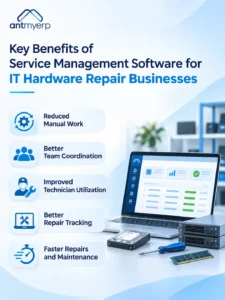
Key Benefits of Service Management Software for IT Hardware Repair Businesses
Reduced Manual Work and Better Data Management
IT hardware service businesses may use separate systems for customer management, accounting, inventory, and service operations. Switching between disconnected systems can lead to duplicate entries, inconsistent records, and additional administrative work.
Service management software that integrates with existing business applications can help teams access relevant information from one place and reduce repetitive data entry.
This can help businesses achieve:
- Centralized access to customer and service information.
- Less manual data entry and fewer duplicate records.
- Better coordination between service and inventory teams.
- More consistent customer and repair records.
Customer information also plays an important role in managing repair operations. A structured approach to CRM software for IT hardware service businesses can help teams organize customer details, service interactions, and follow-ups.
Before selecting a solution, businesses should check whether its integrations support their existing applications and workflows.
Improved Coordination Between Office Staff and Technicians
IT hardware repairs may take place at customer offices, commercial facilities, or other service locations. Office staff need to communicate repair requirements clearly, while technicians need accurate information about the reported issue, equipment, service location, and assigned task.
Service management software helps organize these details alongside service requests and work orders. Technicians and managers can refer to recorded job information and update service progress as work moves forward.
This helps businesses:
- Share repair details with assigned technicians.
- Keep office staff informed about job progress.
- Reduce dependency on phone calls and manual updates.
- Coordinate service activities across multiple customer locations.
Better communication helps service teams stay informed about ongoing repairs and manage follow-up activities more effectively.
Better Technician Utilization and Faster Service Response
When several customers request repairs at the same time, assigning the right technician becomes challenging. Managers need to consider technician availability, job priority, service location, and the technical skills required for each repair.
Scheduling and dispatch capabilities help managers organize service assignments and plan technician visits more efficiently.
A structured scheduling process can help businesses:
- Assign repair jobs according to technician availability and relevant skills.
- Organize scheduled maintenance visits.
- Track assigned, ongoing, and completed work.
- Identify pending requests that need attention.
- Coordinate service visits across customer locations.
With better visibility into technician assignments and pending jobs, managers can plan workloads more effectively and reduce avoidable scheduling delays.
Better Visibility into Repair Requests and Job Progress
When customers report a hardware issue, service teams need a reliable way to record the request and track it until completion. Without proper tracking, requests can be overlooked, and managers may find it difficult to identify delayed repairs.
Service ticket management helps businesses record the reported problem, customer information, equipment details, assigned technician, required parts, and current status.
Work order management further helps organize the tasks required to diagnose, repair, or replace equipment.
For example, if a customer reports a faulty office printer, the service team can record the issue, assign a technician, note the required replacement parts, and update the job status as work progresses.
This gives managers a clearer view of pending and completed repairs and makes unresolved requests easier to identify.
For businesses handling recurring maintenance contracts, AMC software for IT hardware service businesses can also help organize contract-related service activities and maintenance schedules.
Reduced Repair Delays Through Better Maintenance and Inventory Tracking
IT hardware maintenance may involve replacing components, inspecting equipment, or carrying out scheduled servicing. If technicians do not have access to equipment records or required spare parts, repair work can take longer than expected.
Service management software with asset management and inventory tracking capabilities helps businesses maintain equipment details, record parts usage, and monitor stock availability.
Connecting inventory records with service activities can help teams:
- Check spare parts availability before repair visits.
- Track components used during individual repairs.
- Maintain equipment and service history.
- Identify potential stock shortages.
- Organize scheduled maintenance activities.
These records help service teams prepare for repair jobs and reduce delays caused by missing information or unavailable components.
Businesses can also follow a preventive maintenance checklist for managed IT services to organize routine equipment inspections and maintenance activities.
How AntMyERP Supports Hardware Service Operations
AntMyERP provides service management capabilities that businesses can evaluate for organizing repair requests and coordinating service activities.
Its service workflow allows teams to create service tickets with details such as the ticket number, customer name, service location, inventory requirements, contact person, and service status. These records can help managers maintain an overview of repair requests and follow their progress.
For businesses managing technicians in the field, relevant field service management software capabilities can also be evaluated for job coordination and technician assignments. Customer-related workflows can be reviewed through the CRM solution.
Before choosing AntMyERP or another solution, businesses should confirm that the available features, integrations, and mobile capabilities match their service requirements.
How to Choose the Right Solution for Hardware Repair
The right solution depends on the size of the service team, the number of repair requests, and the complexity of daily operations.
When comparing options, consider the following:
- Service ticket management: Can the team record, assign, and track repair requests?
- Work order management: Can technicians and managers monitor repair tasks through completion?
- Technician scheduling: Does the system support the scheduling and assignment process your team needs?
- Asset and service history: Can the business maintain equipment records and previous repair details?
- Inventory tracking: Can teams monitor spare parts and record their usage?
- Reporting: Can managers review pending jobs, completed work, and service activity?
- Integration: Does the solution work with the business applications already in use?
A practical evaluation should focus on the repair workflow your team follows every day rather than the number of features advertised. Businesses should also confirm implementation requirements, usability, and the level of support available.
Conclusion
Managing IT hardware repair services requires coordination between customers, technicians, service managers, and inventory teams. The right software can help businesses organize repair requests, improve work order tracking, support technician scheduling, and maintain equipment service records.
For IT hardware businesses looking to improve their service workflows, evaluating available features against everyday operational requirements is an important first step.to explore whether its service management capabilities fit your business needs.