
Optimize After Sales Service for Industrial Machines
2026-10-21
After sales service helps manufacturers maintain equipment performance, resolve customer issues, reduce downtime, and build long-term customer relationships. Industrial aftersales software helps businesses manage service requests, preventive maintenance, spare parts, warranty claims, and technician activities. By improving service workflows and tracking performance, manufacturers can optimize aftersales processes, control costs, and deliver more reliable support.
After sales service plays an important role in the industrial equipment industry. Once a machine is sold, customers depend on timely maintenance, technical support, repairs, and spare parts to keep their operations running smoothly. Delayed service or unavailable components can lead to equipment downtime, production losses, and customer dissatisfaction.
Manufacturers need a structured approach to manage these responsibilities. After-sales service management software helps businesses organize service requests, track equipment history, coordinate technicians, and monitor maintenance activities from a central system.
With the right processes and technology, businesses can provide better after-sales support for industrial equipment while improving operational efficiency and customer retention.
This blog explains the key components of after sales service, practical ways to optimize aftersales processes, and the benefits of using software to manage industrial service operations.
What Is After Sales Service?
After sales service refers to the support a business provides to customers after they purchase a product or piece of equipment. It may include installation, maintenance, troubleshooting, repairs, warranty support, replacement parts, and technical assistance.
In manufacturing, after sales service is particularly important because industrial machines often operate continuously and support critical production activities. Even a small equipment failure can affect production schedules, increase operating costs, and delay customer deliveries.
A well-organized after-sales process helps manufacturers respond to service requests, maintain equipment reliability, and build stronger relationships with customers.
Key Components of After Sales Service
An effective after sales service process involves several activities that work together to support customers and maintain industrial equipment.
Customer Service and Technical Support
Customers need timely assistance when equipment stops working or develops a technical issue. A dedicated support process helps businesses record complaints, assign service requests, and communicate updates.
Businesses can improve customer support by:
- Providing clear channels for reporting equipment problems.
- Recording customer complaints and service requests.
- Assigning requests to the appropriate support team.
- Sharing repair updates and expected resolution times.
- Maintaining a history of customer interactions.
A centralized service record helps support teams understand previous issues and provide more consistent assistance.
Preventive Maintenance
Preventive maintenance involves inspecting and servicing equipment at planned intervals to reduce the likelihood of unexpected failures.
Manufacturers and service providers can schedule maintenance based on equipment usage, operating conditions, manufacturer recommendations, or service agreements.
A structured maintenance process helps teams track upcoming inspections, assign technicians, record completed work, and identify recurring equipment problems.
Businesses can also explore industrial equipment maintenance practices to improve equipment reliability and reduce avoidable downtime.
Spare Parts Management
The availability of spare parts directly affects repair timelines. If a required component is unavailable, technicians may need to postpone repairs while customers wait for the equipment to become operational again.
An organized spare parts process helps businesses:
- Monitor stock levels and parts availability.
- Track parts used for repairs and maintenance.
- Identify frequently used or critical components.
- Replenish inventory before shortages occur.
- Maintain records of parts issued to technicians.
Businesses can use spare parts management software to improve inventory visibility and coordinate parts availability with service requirements.
Warranty Management
Warranty management helps businesses verify product coverage, review claims, coordinate repairs, and maintain warranty records.
Without accurate records, service teams may struggle to confirm coverage periods or determine whether a repair qualifies for warranty support.
Maintaining product details, serial numbers, purchase dates, warranty terms, and claim histories helps teams make informed decisions.
A dedicated warranty management solution can help organize warranty information and support more consistent claim handling.
Technician Scheduling and Service Tracking
Industrial equipment service often involves multiple technicians, customer locations, and ongoing work orders. Poor scheduling can lead to missed appointments, delayed repairs, and inefficient resource allocation.
Businesses should assign technicians according to their skills, availability, location, and job requirements. They should also record work completed, parts consumed, and any follow-up actions needed.
Tracking these activities provides better visibility into service progress and helps managers identify delays.
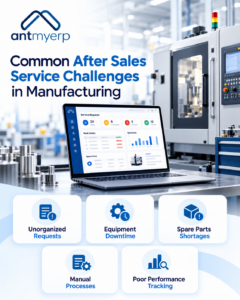
Common After Sales Service Challenges in Manufacturing
Manufacturers can face several challenges when managing customer support and equipment service after a sale.
Unorganized Service Requests
When requests arrive through phone calls, emails, and messaging applications, important details can be missed. Teams may also find it difficult to identify urgent requests or monitor pending work.
A centralized service request process helps businesses record issues, assign responsibilities, and track progress.
Unexpected Equipment Downtime
Unplanned failures can interrupt production and increase repair costs. When maintenance depends only on customer complaints or equipment breakdowns, smaller issues may go unnoticed.
Planned inspections and preventive maintenance schedules help teams address potential problems before they cause major disruptions.
Limited Visibility Into Spare Parts
Missing or inaccurate inventory records can delay service work. Technicians may arrive at a customer site without the components needed to complete a repair.
Connecting spare parts records with work orders and maintenance activities helps teams prepare for service visits more effectively.
Manual Processes and Disconnected Records
Using separate spreadsheets for customer details, equipment history, service requests, and warranty information creates additional administrative work.
It can also make reporting difficult because managers must collect information from multiple sources.
Digital service records help teams access relevant information and maintain a clearer history of customer and equipment activities.
Difficulty Measuring Service Performance
Without consistent reporting, managers may struggle to understand why service requests remain unresolved or why certain repairs take longer than expected.
Tracking response times, resolution times, repeat repairs, and service costs helps businesses identify areas that need improvement.
Interesting Facts About After Sales Service in Manufacturing
After sales service is more than a way to resolve equipment problems. It can influence customer loyalty, equipment reliability, and long-term business growth.
- One service experience can influence future sales: Customers who receive reliable support may be more likely to purchase equipment from the same manufacturer again.
- Equipment downtime can affect more than production: A machine failure may delay deliveries, disrupt connected operations, increase labor costs, and affect customer commitments.
- Spare parts availability can determine repair time: Even when a technician identifies the problem quickly, an unavailable component can delay the return to normal operations.
- Service records can reveal recurring problems: Tracking repair histories and repeated failures can help manufacturers identify components that may require design improvements or closer inspection.
- After-sales data can support product development: Feedback from technicians and customers can help manufacturers identify common product issues and improve future equipment designs.
Key takeaway: Businesses that treat after sales service as an ongoing customer relationship, rather than a task that starts after a breakdown, can identify improvement opportunities across maintenance, inventory, product quality, and customer support.
How to Optimize After Sales Processes
Businesses can optimize aftersales processes by standardizing workflows, improving information sharing, and using technology to coordinate service activities.
1. Implement Industrial Aftersales Software
Industrial aftersales software helps manufacturers organize service operations and maintain visibility into customer support activities. Depending on its capabilities, the software may support service requests, work orders, maintenance schedules, warranty records, inventory, and performance reporting.
When evaluating software, look for features that support:
- Centralized customer and equipment records.
- Service request tracking and work order management.
- Preventive maintenance scheduling.
- Technician assignment and activity tracking.
- Spare parts and inventory management.
- Warranty claim tracking.
- Service performance reports.
The right solution depends on the business’s service model, equipment portfolio, and operational requirements.
2. Standardize the Service Workflow
Define a consistent process for handling service requests, from the initial complaint to final resolution.
A typical workflow includes:
- Registering the customer complaint or service request.
- Recording the equipment details and reported problem.
- Prioritizing the request based on urgency.
- Assigning the appropriate technician.
- Arranging required tools and spare parts.
- Recording the repair or maintenance work.
- Confirming completion with the customer.
- Closing the request and updating service records.
A standardized workflow reduces confusion, clarifies responsibilities, and makes it easier to identify delays.
3. Schedule Preventive Maintenance
Create maintenance schedules based on equipment requirements, service agreements, operating hours, and manufacturer guidelines.
Send reminders to service teams before scheduled maintenance is due. Record inspection results and track issues that require follow-up work.
Regular maintenance records also help businesses identify recurring faults and assess whether existing maintenance schedules need adjustment.
4. Improve Spare Parts Planning
Review historical parts usage, repair trends, and supplier lead times to identify components that need closer monitoring.
Maintain accurate inventory records and establish appropriate reorder levels for critical parts. Where possible, coordinate inventory planning with upcoming maintenance activities and confirmed service requests.
This helps reduce avoidable delays caused by missing components.
5. Strengthen Customer Communication
Keep customers informed about service request status, technician visits, expected completion times, and follow-up requirements.
Provide a clear process for escalating urgent issues. After service completion, collect feedback to understand whether the problem was resolved and whether the customer needs further assistance.
Consistent communication helps set expectations and improves the overall service experience.
6. Train Technicians and Support Teams
Technicians need up-to-date knowledge of equipment specifications, diagnostic procedures, safety requirements, and repair practices.
Provide regular training and make relevant equipment manuals, service histories, and maintenance instructions accessible to authorized employees.
Training customer support teams is equally important. They should know how to record requests accurately, identify urgent cases, and direct technical questions to the right team.
7. Monitor Service Performance
Establish measurable indicators to evaluate service quality and identify opportunities for improvement.
Useful metrics include:
- Average response time.
- Average service resolution time.
- First-time fix rate.
- Number of repeat service requests.
- Preventive maintenance completion rate.
- Spare parts availability.
- Service cost per work order.
- Customer satisfaction scores.
Review these metrics regularly to identify bottlenecks, recurring equipment problems, and areas where resources need to be allocated differently.
How AntMyERP After-Sales Service Management Software Helps
After-sales service management software connects service activities and customer information in one system. It can reduce dependence on manual records and help teams coordinate work more effectively.
Centralized Service Information
Store customer details, equipment records, service requests, warranty information, and repair histories in a central location. This helps employees access the information needed to manage service activities.
Better Work Order Management
Create and track work orders, assign technicians, record job progress, and document completed work. Managers can monitor pending requests and identify jobs that require attention.
Improved Maintenance Planning
Schedule preventive maintenance, monitor upcoming tasks, and maintain service histories. These records support more organized maintenance planning and help reduce avoidable service delays.
Greater Inventory Visibility
Connect spare parts information with service requirements to help teams check availability and record parts used during repairs.
More Informed Decisions
Service reports can help managers review workloads, resolution times, repair costs, and recurring issues. These insights support better planning and continuous improvement.

How to Choose the Right Software for After Sales Service
Before selecting software, evaluate your current service workflow and identify the problems that need to be addressed.
Consider the following factors:
- Business requirements: Identify whether you need service request tracking, maintenance scheduling, warranty management, inventory control, or a combination of these functions.
- Ease of use: Choose software that service coordinators, technicians, and managers can use without unnecessary complexity.
- Reporting capabilities: Check whether the system provides the service metrics needed to measure performance.
- Integration requirements: Determine whether the software can connect with relevant customer, inventory, accounting, or business systems.
- Scalability: Ensure the solution can support additional equipment, customers, technicians, and service locations as operations grow.
- Mobile accessibility: Consider whether technicians need access to work orders and equipment information while working at customer sites.
- Vendor support: Review implementation assistance, training, and ongoing technical support.
Compare available options against your actual operational requirements rather than selecting software based only on the number of features.
Conclusion
Effective after sales service helps manufacturers maintain equipment reliability, resolve customer issues, and build lasting customer relationships. However, managing service requests, maintenance schedules, spare parts, warranties, and technicians through disconnected processes can make these responsibilities difficult to coordinate.
By standardizing workflows, planning preventive maintenance, improving customer communication, and monitoring service performance, businesses can optimize aftersales processes and make better use of their service resources.
Industrial aftersales software can further support these efforts by centralizing records and improving visibility into service activities.