
Elevator Maintenance: Operational Efficiency with FSM Software
2026-11-09
Elevator maintenance software helps service companies manage maintenance schedules, repair requests, technician assignments, work orders, spare parts, and equipment records. Field service management capabilities help teams coordinate office and field activities, track job progress, and maintain service histories. Connecting service workflows with inventory, asset management, and maintenance contracts can help businesses organize daily operations and recurring service commitments.
It’s 8:30 on a Monday morning. A lift is stuck in a hospital wing, a quarterly service at an office tower is overdue, and your best technician is on the other side of the city without the part he needs. Meanwhile, the maintenance history for all three sites lives in a spreadsheet, a notebook, and someone’s memory.
If that sounds familiar, you’re not short on skill. You’re short on a system. Elevator maintenance software brings schedules, service requests, technician assignments, work orders, spare parts, and equipment records into one place, so your team spends less time chasing information and more time keeping lifts safe and running.
This guide covers what the software does, the problems it solves, the features worth looking for, and how to choose the right fit for your business.
What Is Elevator Maintenance Software?
Elevator maintenance software is a digital system that helps service providers organize maintenance activities, repair requests, technician schedules, work orders, and equipment information. Instead of juggling spreadsheets, paper records, and phone calls, your team works from one shared source of information.
Depending on its capabilities, it can help you:
- Schedule recurring maintenance visits.
- Assign service requests to technicians.
- Create and track work orders.
- Maintain service and repair histories for every elevator.
- Monitor spare parts used during visits.
- Record inspection findings and maintenance reports.
- Manage customer contracts and service commitments.
For companies looking after many lifts across residential buildings, offices, hospitals, and commercial properties, this means clearer visibility into pending work and daily service operations.
Where Manual Elevator Maintenance Management Breaks Down
Planned maintenance, sudden breakdowns, technician availability, spare parts, and customer communication all compete for attention. The more customers and sites you add, the harder it gets to manage everything manually. Five problems tend to show up first.
Missed maintenance schedules. Recurring visits need planning and follow-up. When schedules depend on spreadsheets or manual reminders, upcoming visits slip by and overdue work is hard to spot.
Delayed repair assignments. When a breakdown is reported, someone has to log it, find an available technician, and assign the job. Every delay in that chain can extend downtime and frustrate the people waiting for the lift.
Limited visibility into service work. Without centralized work orders, managers end up calling technicians one by one to ask whether a job has started, what parts are needed, or whether the repair is done.
Spare parts surprises. A technician arrives on site without the right component. The result can be a second visit, a longer repair, and an unhappy customer.
Incomplete service records. When maintenance history, inspection reports, and repair details are scattered across files, spotting recurring issues or preparing an accurate service report becomes slow and difficult.
Elevator maintenance software helps address these problems by bringing service information and workflows together.
Key Features of Elevator Maintenance Management Software
The right software should mirror how your elevator service business actually works. Here are the capabilities worth evaluating.
1. Elevator Maintenance Scheduling
Scheduling lets managers plan recurring visits, assign upcoming tasks, and keep an eye on pending work. Teams can organize service by customer location, equipment, assigned technician, and due date, and follow up quickly on anything left incomplete.
A structured schedule supports preventive maintenance and reduces the risk of overlooked visits. Businesses evaluating planned maintenance workflows can learn more about preventive maintenance software.
2. Elevator Field Service Management (FSM)
FSM connects office coordination with technicians working at customer sites. It helps teams organize service requests, assign jobs, monitor work status, and keep managers and field staff informed. For companies covering multiple locations, a consistent workflow makes it easier to handle both planned maintenance and unplanned repairs. If you’re exploring how this works in practice, field service management software shows how service requests, job assignments, and field activities can be managed from one place.
3. Work Order and Repair Management
An elevator work order captures the details of a maintenance or repair job: the reported issue, the assigned technician, the tasks required, and the completion status. With organized work order management, your team can:
- Record maintenance and repair requests.
- Assign jobs to the right technician.
- Track pending, ongoing, and completed work.
- Document parts used and work performed.
- Keep records ready for future visits.
Managers get a clearer view of outstanding jobs, and technicians know what the job involves before they reach the site.
4. Technician Scheduling and Job Assignment
With several technicians covering different customers and locations, manual assignment makes it hard to balance workloads and handle urgent requests. Depending on the system, service management software can help managers assign jobs based on availability, location, workload, and job requirements.
The result can be fewer scheduling conflicts and better visibility into technician workloads.
5. Spare Parts and Inventory Tracking
Repairs often depend on having the right part. When service software connects with inventory management, teams can record parts usage, track stock movements, and coordinate replenishment.
Linking service work to inventory management software can help businesses maintain better visibility into stock movements and parts availability.
- Elevator Asset and Service History Management
Reliable records are the backbone of good service: equipment identification, customer location, previous visits, reported faults, and completed repairs. Asset management organizes equipment details, while service history makes past work easier to review. When technicians can check these records before a visit, they arrive with context rather than guesswork. To see how equipment records can be kept in one place, take a look at asset management software.
- Maintenance Contracts and Service Tracking
Many elevator businesses run on annual maintenance contracts or other recurring agreements. Contract management features help teams keep customer contract details, track scheduled visits, and monitor renewal dates. Linking schedules to contracts keeps planned maintenance visible and makes it easier to follow up on upcoming commitments. If recurring service agreements are a big part of your business, AMC management software is worth seeing how this works in practice.
How Preventive Maintenance Supports Reliable Service
Preventive maintenance means carrying out planned checks and maintenance before avoidable failures occur. For service providers, that comes down to organizing recurring visits and recording the work done during each one.
Depending on its features, elevator preventive maintenance software can support this with scheduled tasks, checklists, reminders, and service records. A consistent process helps your team:
- Plan maintenance according to applicable requirements and service agreements.
- Record completed checks and observations.
- Track issues found during visits.
- Create follow-up work orders when repairs are needed.
- Keep records for future reference.
Software supports planning and documentation. It does not replace inspections, technical judgment, or the safety procedures required from qualified elevator professionals.
Benefits of Field Service Management Software for Elevator Companies
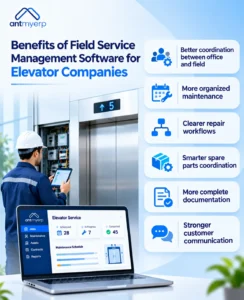
Better coordination between office and field. Shared service requests and work orders mean everyone works from the same job information, and managers can check progress without relying entirely on manual updates.
More organized maintenance. A shared schedule shows upcoming visits, pending work, and assigned technicians at a glance.
Clearer repair workflows. Tracking work orders shows reported issues, ongoing repairs, and completed jobs, so unresolved requests are easier to identify.
Smarter spare parts coordination. Connecting service activity with inventory records helps teams monitor parts usage and availability, reducing delays when technicians need replacements.
More complete documentation. Digital records preserve maintenance histories, repair details, and job completion information, supporting internal reviews and customer conversations.
Stronger customer communication. Organized records and job status updates help teams answer customer queries accurately. The exact communication options depend on the software selected.
How AntMyERP Supports Elevator Service Operations
AntMyERP offers field service management capabilities that businesses can evaluate for organizing service requests, technician assignments, spare parts, and field activities.
For elevator service providers, relevant areas to assess include:
- Service scheduling and task assignment: Organize maintenance visits and service requests.
- Work order tracking: Monitor service tasks and their progress.
- Mobile technician workflows: Support field teams with task updates and service documentation.
- Spare parts management: Maintain records of parts issued, used, and requested during service work.
- Asset records: Keep relevant equipment information available for service operations.
- Reporting and service visibility: Review job progress and service activity records.
Confirm that the specific workflows you need are supported by the selected configuration.
How to Choose the Right Elevator Service Software
Before you commit, test how well the software fits your real maintenance and repair workflows. Work through this checklist:
- Review your maintenance requirements. Note how your team handles recurring visits, emergency repairs, inspections, and follow-ups. Make sure the software supports the workflows that matter most.
- Check scheduling and work order capabilities. Confirm that managers can assign jobs, monitor progress, and spot pending or overdue work.
- Evaluate mobile access. Technicians should be able to view assigned tasks, check equipment information, and record job updates on site.
- Review inventory and asset management. See whether service tasks connect to spare parts, equipment records, and maintenance histories.
- Assess contract and reporting needs. If you work under maintenance contracts, check how the system handles scheduled visits, contract records, and renewal follow-ups. Review the available reports.
- Confirm integration and scalability. Consider how it fits your existing processes and whether it can grow with more customers, technicians, and locations.
The best choice is the system that supports your real service workflows without adding unnecessary complexity.