
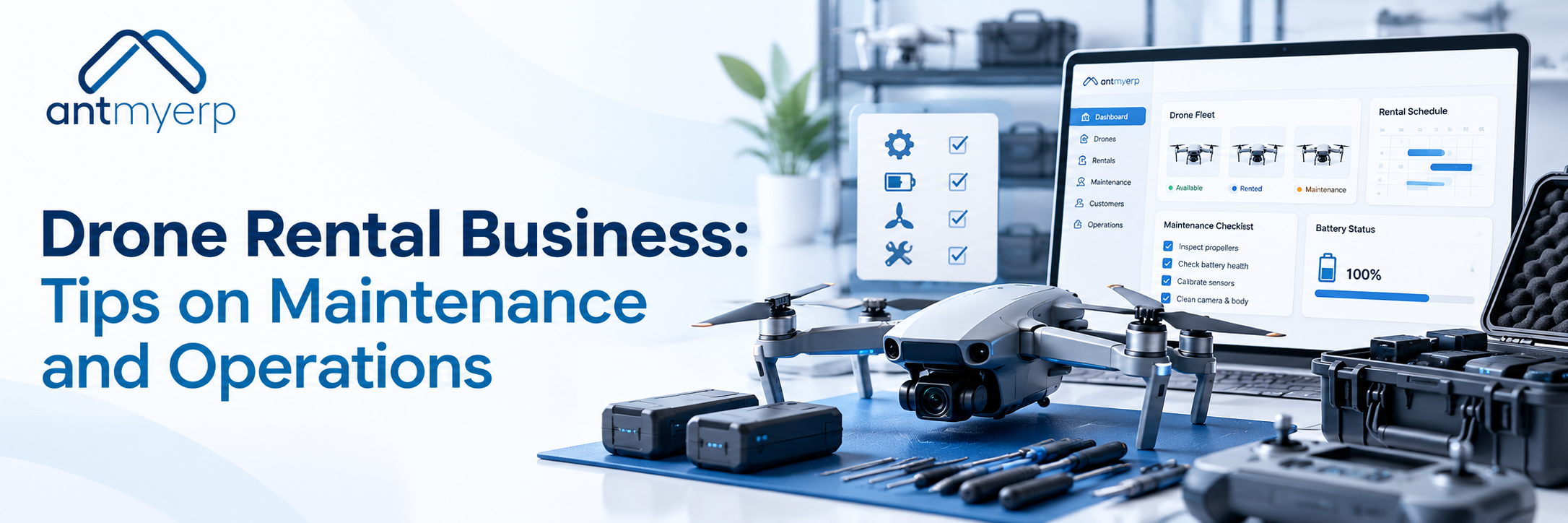
Drone Rental Business: Tips on Maintenance and Operations
2026-10-23
A drone rental business needs regular inspections, preventive maintenance, and accurate equipment records to keep drones safe, reliable, and ready for the next booking. Check propellers, motors, batteries, cameras, and other components before and after rentals. Schedule servicing based on manufacturer recommendations and usage, document repairs, and track equipment availability. As your fleet grows, AntMyERP preventive maintenance software can help organize maintenance schedules, asset histories, and service tasks, reducing avoidable downtime and keeping rental operations organized.
A drone rental business needs regular maintenance checks to keep equipment safe, reliable, and ready for the next customer. From inspecting propellers and batteries to tracking repairs and rental returns, having a clear maintenance routine helps prevent unexpected downtime and additional costs.
As the fleet grows, managing inspections, bookings, and service schedules can become more challenging. This guide covers practical maintenance checklists, fleet management tips, and how preventive maintenance software can help keep your drone rental operations organized.
This guide covers the day-to-day management of a drone rental business, the checks to carry out before and after rentals, and how preventive maintenance software can help manage a growing fleet.
Managing a Drone Rental Business: What Needs Attention?
Bookings, equipment availability, maintenance, and customer requirements all need to be managed together. A simple, consistent process helps avoid confusion, especially when several drones are rented out at the same time.
Keep Bookings and Availability Up to Date
Before confirming a booking, check whether the required drone and accessories are available for the entire rental period. Equipment records should clearly show which drones are available, reserved, rented out, or being serviced.
Keeping this information updated helps prevent double bookings and gives staff a clear picture of the equipment they can offer customers.
Check Equipment Before Handing It Over
A quick inspection before a rental can help identify visible damage or other problems. Check the propellers, frame, batteries, motors, accessories, and system warnings before handing over the equipment.
The return inspection is just as important. Record any damage, missing accessories, battery issues, or problems reported by the customer. If something needs attention, resolve it before making the drone available for another booking.
Keep Equipment Records in One Place
Each drone should have a unique asset ID, along with its model, purchase details, usage history, maintenance records, and current condition. This makes it easier to check the history of an individual drone instead of relying on memory or scattered records.
For larger fleets, asset management software can help keep equipment information and maintenance history organized in one place.
Schedule Maintenance Before Problems Occur
Waiting until a drone develops a fault can affect upcoming rentals. Plan inspections and servicing around manufacturer recommendations, flight hours, usage patterns, and operating conditions.
Equipment rental management software helps businesses handling multiple rental assets to manage their wider rental operations.
Why Preventive Maintenance Matters for a Drone Rental Business
Drones used for rental may pass through several customers’ hands and operate in different environments. Regular cleaning, inspections, component checks, and planned servicing help businesses identify problems before they turn into larger repairs.
There are several practical reasons to make preventive maintenance part of everyday operations.
Fewer Unexpected Breakdowns
A damaged propeller, a battery problem, or a loose component can leave a drone unavailable just when a customer needs it. Routine inspections help staff identify these issues before they affect a booking.
Better Equipment Safety
A drone relies on several components working together. Checking the propellers, motors, batteries, frame, and sensors helps identify defects that could affect flight performance.
Better Control Over Repair Costs
Small problems can become more expensive if they go unnoticed. Identifying worn or damaged components early gives businesses more time to arrange repairs or replacements. Maintenance records can also reveal recurring faults that need further attention.
A Better Customer Experience
Customers expect rental equipment to arrive clean, functional, and ready to use. Following the same inspection process for every rental reduces the chances of handing over equipment with unresolved problems.
Longer Equipment Service Life
Drones and their accessories are exposed to regular handling, transportation, charging, and use. Following the manufacturer’s instructions for cleaning, charging, storage, and servicing helps limit avoidable wear.
Drone Components That Need Regular Maintenance
A maintenance routine should cover the drone itself as well as the equipment needed to operate it. The exact checks will depend on the model and the manufacturer’s instructions.
Propellers and Motors
Look for cracks, chips, deformation, loose fittings, or other visible damage to the propellers. Motors should also be checked for unusual noise, debris, visible damage, or restricted movement, following the manufacturer’s recommended procedure.
Replace damaged propellers and arrange qualified servicing if a motor or its mounting shows signs of a fault.
Batteries and Charging Equipment
Battery condition deserves particular attention because batteries are used repeatedly across rental periods. Check for swelling, cracks, leakage, unusual heat, damaged connectors, and other warning signs. Review battery health and cycle information when available.
Use compatible charging equipment and follow the manufacturer’s instructions for charging, cooling, transportation, and storage. Batteries showing signs of damage should not be used.
Frame and Landing Gear
Inspect the frame, arms, landing gear, fasteners, and mounting points for cracks, loose fittings, or signs of impact.
If structural damage is found, have the drone assessed before returning it to service.
Cameras, Sensors, and Gimbals
Dust, visible damage, or loose mounts can affect camera quality and may interfere with certain drone functions. Clean these components using approved methods and check for system warnings.
Calibration and functional testing should follow the procedures specified for the particular drone model.
Software, Firmware, and Flight Logs
Software checks are another part of equipment maintenance. Review firmware status, flight logs, and system warnings. Apply updates according to manufacturer guidance and carry out any required tests before returning the drone to operational use.
Maintenance Checklist for a Drone Rental Business
A written checklist gives every team member the same process to follow.
- Before each flight: Check the propellers, drone body, battery condition, motors, and system warnings. Complete all required preflight checks.
- After every rental: Look for visible damage, missing accessories, battery problems, and issues reported by the customer.
- At scheduled intervals: Carry out detailed inspections, clean components as recommended, review usage records, and complete required servicing.
- After an incident: Inspect the affected components and arrange qualified servicing where necessary. Do not return the drone to service until it has been appropriately assessed.
- Before the next booking: Confirm that the required inspections are complete and the drone is cleared for use.
It should be adjusted for each drone model, the manufacturer’s recommendations, and applicable operating requirements.
What to Include in Inspection Records
Completing an inspection is only part of the process. The findings should also be recorded so staff can check what was done and whether any work remains outstanding.
For each inspection, record:
- Asset ID or drone identification number.
- Inspection date and, where relevant, flight hours or usage cycles.
- Name of the technician or staff member who carried out the inspection.
- Inspection findings and identified defects.
- Corrective actions and replacement parts, where applicable.
- Maintenance completion status.
- Next scheduled maintenance date.
These records make it easier to review a drone’s maintenance history and spot recurring issues. For additional guidance, read our article on equipment maintenance software for audit-ready rentals.
How Often Should Rental Drones Be Maintained?
There is no single maintenance schedule that suits every drone. The frequency depends on the model, operating environment, flight hours, usage intensity, and manufacturer recommendations.
A practical approach is to combine regular checks with more detailed inspections at the intervals specified by the manufacturer.
Before and After Every Flight
Complete the required preflight checks before takeoff. After landing, look for damage, assess the battery condition, and record any warnings or unusual behaviour.
Whenever a Rental Is Returned
Check the drone, batteries, accessories, and any problems reported by the customer. If a safety-related issue remains unresolved, keep the equipment unavailable for booking until it has been assessed and the necessary work is completed.
At Planned Maintenance Intervals
Carry out detailed inspections and servicing according to manufacturer recommendations. Where applicable, consider both the number of flight hours and the time elapsed since the previous service.
After an Incident
A collision, hard landing, exposure to moisture, or unexpected system warning may require an additional inspection. Follow the manufacturer’s instructions and arrange qualified servicing where necessary before the drone is used again.
Common Maintenance Mistakes to Avoid
Even businesses with regular inspection routines can miss important details. A few common mistakes can make equipment management more difficult as the fleet grows.
- Skipping return inspections: Check every returned drone before making it available for another customer.
- Overlooking battery warnings: Stop using batteries that show damage or other warning signs.
- Using one checklist for every model: Adjust inspection procedures to the drone and its manufacturer’s recommendations.
- Relying only on calendar reminders: Track flight hours or operating cycles when the maintenance schedule requires them.
- Leaving repairs undocumented: Record completed work, replaced components, and issues that still need attention.
- Booking equipment that needs servicing: Keep drones with unresolved safety-related defects unavailable until the required checks and corrective actions are complete.
- Managing everything in separate spreadsheets: As the fleet expands, scattered records can make it harder to follow maintenance schedules, equipment condition, and upcoming bookings.
Addressing these issues helps staff follow a consistent process and makes it easier to identify which drones are ready for use.
How CMMS Software Can Help a Drone Rental Business
Spreadsheets may work for a small fleet, but managing multiple drones can make it harder to keep inspection records, repair requests, maintenance schedules, and asset histories up to date.A Computerized Maintenance Management System (CMMS) helps organize asset information and maintenance activities in one place.
AntMyERP preventive maintenance software can help businesses plan maintenance activities and organize service schedules. Depending on the configured features and workflow, maintenance management software can support drone rental operations in several ways:
- Centralized asset records: Keep identification details and service histories for individual drones and other equipment.
- Planned preventive maintenance: Schedule recurring inspections and servicing according to maintenance requirements.
- Maintenance task tracking: Record pending inspections, reported defects, and completed service activities.
- Repair documentation: Maintain records of corrective actions and replaced components.
- Better maintenance visibility: Review upcoming tasks and identify equipment that needs attention before its next use.
For businesses that need to coordinate both equipment and rental activities, asset management software and equipment rental management software can complement maintenance management by helping organize asset records and rental operations.
As your drone rental business grows, keeping track of equipment maintenance and service activities can become more challenging. Field Service Management Software can help you manage service tasks and maintenance schedules
Conclusion
A well-managed drone rental business depends on more than keeping track of bookings. Every drone needs to be inspected, maintenance must be scheduled, and equipment records need to be kept up to date.
A consistent checklist helps staff identify problems before the next rental, while planned maintenance can reduce avoidable downtime and support equipment reliability. As the fleet grows, maintenance management software can make it easier to track service histories, upcoming inspections, repairs, and outstanding tasks.
Combining regular inspections with organized maintenance records helps rental operators keep equipment ready for use and manage their operations more effectively.