
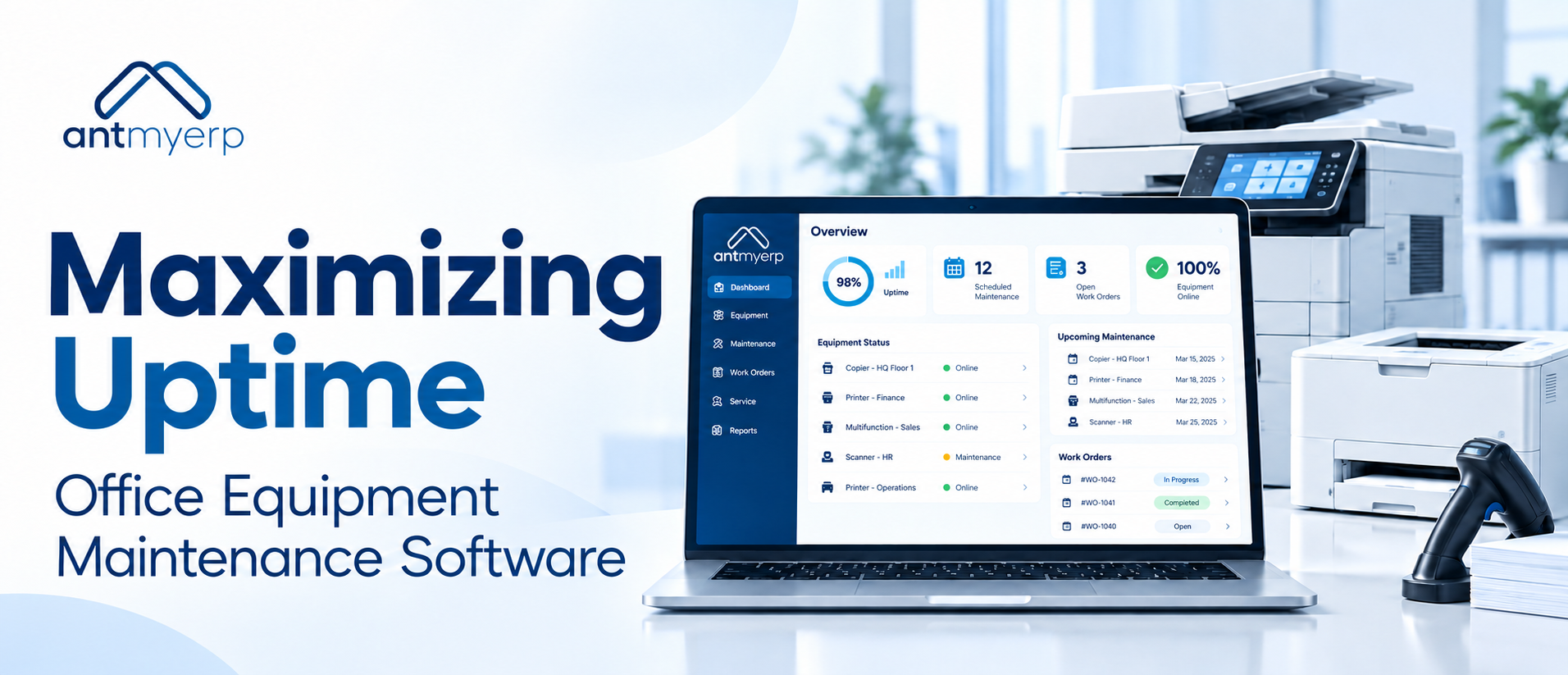
Maximizing Uptime: Office Equipment Maintenance Software
2026-10-12
Office equipment downtime can affect productivity, customer service, and service team performance. Office equipment maintenance software helps businesses manage equipment records, service requests, preventive maintenance, work orders, repairs, and service history in a more structured way.
A printer stops working just before an important presentation.A copier starts showing the same error it had two months ago.
A customer calls about a machine that was serviced recently, but the service team cannot immediately find what was repaired or which parts were replaced.
These situations may look like individual service issues. For an office equipment business, however, they often point to a larger problem: maintenance information is not connected.
When equipment records, service requests, technician updates, preventive maintenance schedules, and repair history are managed separately, service teams spend more time searching for information and following up manually.
A structured maintenance process can change that.
Where Office Equipment Service Processes Start to Break Down
Office equipment businesses often manage a large number of machines across different customers, locations, models, and service contracts.
The challenge is not simply knowing that an equipment unit exists. The service team needs to know:
- Which customer owns the equipment?
- Where is it installed?
- When was it last serviced?
- What issue was reported?
- Which technician handled the previous repair?
- Which parts were replaced?
- Is the equipment under warranty or AMC?
- When is the next preventive service due?
If this information is stored across spreadsheets, emails, paper records, or separate systems, answering a simple service question can take longer than expected.
For businesses managing office assets,office equipment management software can provide better visibility into equipment, maintenance, inventory, and service-related information.
The Cost of Managing Equipment Without a Complete Service History
A single repair record may tell you what happened on one particular day.
A complete equipment history tells you much more.
It can show whether the same equipment unit has experienced repeated failures, how frequently it requires service, what parts have been replaced, and how much attention it has required over time.
This information becomes particularly useful when service managers need to decide whether to continue repairing an equipment unit or recommend replacement.
Equipment maintenance tracking software can help keep these records connected to the relevant asset rather than treating every service request as a separate incident.
This gives the service team a more reliable record of the equipment lifecycle.With office equipment maintenance software, service teams can connect equipment records with repair activity and maintenance history.
What a Service Team Needs Before the Work Order Is Assigned
A service request should provide more than an issue description. Before assigning a technician, the service team may need access to:
- Equipment details
- Customer and location information
- Previous repair records
- Warranty status
- AMC details
- Previous technician notes
- Parts used during earlier repairs
- Service priority
- Scheduled maintenance information
With this context available, the team can make better decisions about technician assignment and service requirements.
An office equipment service software solution can bring these details together around the service request and equipment record. Instead of starting every repair from scratch, technicians can work with the information already available.
From Service Request to Resolution: A Connected Workflow
A well-managed service process should have a clear path from the first complaint to final closure.
For example:
- Service request is recorded
A customer reports that a printer is producing poor-quality output.
- Equipment is identified
The service team checks the equipment record, model, location, and previous service history.
- Work order is created
The issue is converted into a work order with the required priority and service details.
- Technician is assigned
The appropriate technician receives the job along with relevant equipment information.
- Repair is completed
The technician records the work performed, parts replaced, observations, and other relevant details.
- Service history is updated
The completed work becomes part of the equipment’s service record.
This workflow creates accountability at every stage. It also gives managers better visibility into open, completed, and recurring service issues.
Businesses looking to manage the complete service cycle can also explore field service management software for service scheduling, technician management, preventive maintenance, and service reporting.
Why Preventive Maintenance Matters After the Installation
Equipment maintenance should not begin only when something stops working.
Printers, copiers, scanners, document management equipment, and other office devices may require regular inspections, cleaning, component checks, or scheduled servicing depending on their usage and manufacturer recommendations.
This is where office equipment preventive maintenance becomes important.
Instead of waiting for a breakdown, service teams can schedule recurring maintenance activities in advance.
Preventive maintenance software can help teams track upcoming service activities, identify overdue work, and maintain a consistent maintenance schedule.
For service businesses, this also creates an opportunity to manage preventive service alongside breakdown repairs instead of treating them as separate processes.
The U.S. Department of Energy also identifies preventive maintenance as a time-based maintenance approach and highlights structured operations and maintenance practices for improving equipment reliability.
Learn more about Operations and Maintenance Practices from the U.S. Department of Energy.
One Repair Tells You Something. A Repair History Tells You More.
Consider an office printer that requires repair three times in six months.
Looking at each repair separately may not reveal a significant issue.
Looking at the complete service history may show a pattern.
Perhaps the same component has been replaced repeatedly. Perhaps the equipment is being used beyond its expected workload. Or perhaps preventive servicing has been missed.
This is where office equipment management software becomes more useful than a basic complaint-tracking system. When service records remain connected to the equipment, managers can review the history before making maintenance or replacement decisions.
Managing AMC Commitments Alongside Equipment Service
For businesses that provide Annual Maintenance Contracts, service management does not end when a repair is completed.
The team also needs to keep track of:
- Contract coverage
- Service frequency
- Renewal dates
- Scheduled visits
- Equipment covered under the contract
- Previous service activity
- Pending service commitments
Connecting AMC information with equipment records can give service teams a clearer view of their contractual responsibilities.
For example, before a scheduled AMC visit, the technician can review previous service history and understand what was previously reported or repaired.This can make the service visit more informed and reduce unnecessary back-and-forth with the customer.
Where Equipment Maintenance Tracking Saves Time
Many service delays are not caused by the actual repair.
They happen before or after the repair.
A technician may wait for equipment details. A service manager may search for an old job card. A customer may ask for the previous service report. The accounts team may need confirmation that a service was completed.
These small delays can accumulate across hundreds of service requests.
With equipment maintenance tracking software, businesses can maintain a central record of equipment, service activity, work orders, and maintenance schedules.
The objective is not simply to digitize paperwork.It is to make important service information easier to find when the team needs it.
Building a More Reliable Office Equipment Maintenance Operation
A strong maintenance process connects four important areas:
Equipment
Know what equipment is installed, where it is located, and who it belongs to.
Service
Record requests, repairs, work orders, technician activity, and completion details.
Maintenance
Plan recurring service activities instead of relying entirely on breakdown-driven repairs.
History
Keep previous work connected to the equipment so future service decisions have context.
When these areas work together, managers can spend less time collecting information and more time managing service performance.The right office equipment maintenance software can bring these activities together without making the service process unnecessarily complicated.
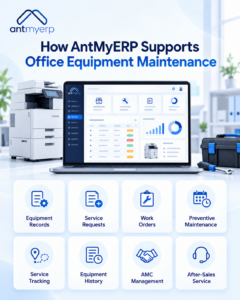
How AntMyERP Supports Office Equipment Maintenance
AntMyERP can help office equipment businesses manage maintenance and service activities through a connected system.
Teams can maintain equipment records, manage service requests and work orders, schedule preventive maintenance, track service activity, and review equipment history.
The system can also support service teams that manage AMC-based maintenance and after-sales activities, helping them keep customer equipment and service commitments organized.
For businesses looking beyond basic repair tracking, connecting office equipment service management software with equipment records and maintenance schedules can provide a clearer operational view.
You can also explore after-sales service management software to understand how customer complaints, service requests, preventive maintenance, and related service activities can be managed after equipment installation.
The Goal Is Not Just Faster Repairs
For an office equipment service business, uptime is not created only when a technician fixes a machine.
It starts much earlier.
It starts with accurate equipment records.
It continues with timely preventive maintenance, clear work orders, accessible service history, and proper follow-up.
When service information is connected, teams can respond with better context, customers receive more consistent service, and managers have better visibility into equipment performance.That is the real value of office equipment maintenance software.
It helps move maintenance from a reactive process to a more structured and manageable part of the service operation.
Want to manage office equipment service, maintenance, work orders, and equipment history in one system?